
Review events, open requests, visitors, reservations, announcements, and the items that need staff attention.
For the teams who keep the community moving
One clearer system for the work your staff handles every day.
ChimeBuddy brings communication, resident requests, events, reservations, visitors, signage, safety tools, and family visibility into one connected experience—so staff spend less time chasing information and more time helping people.
Fewer disconnected tools
Clearer ownership
Better resident follow-through
How it fits into the staff day
Start with the work—not with a list of software features.
ChimeBuddy is designed around the flow of a community day: knowing what needs attention, keeping people informed, helping residents self-serve where appropriate, and making sure nothing gets lost between departments.
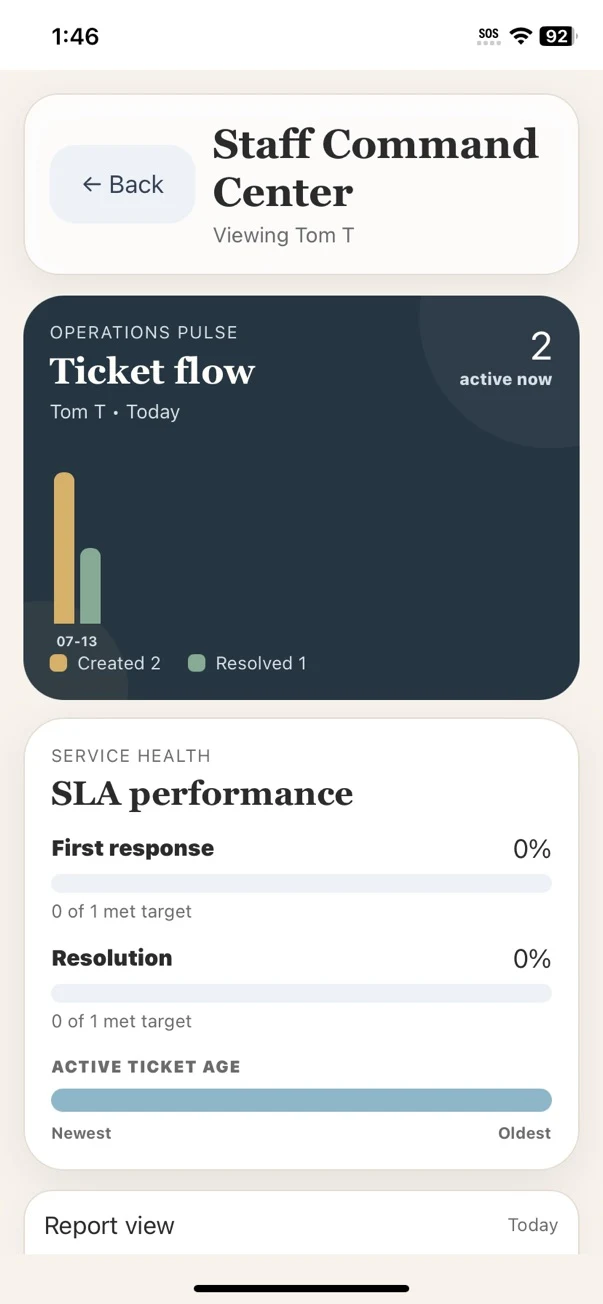
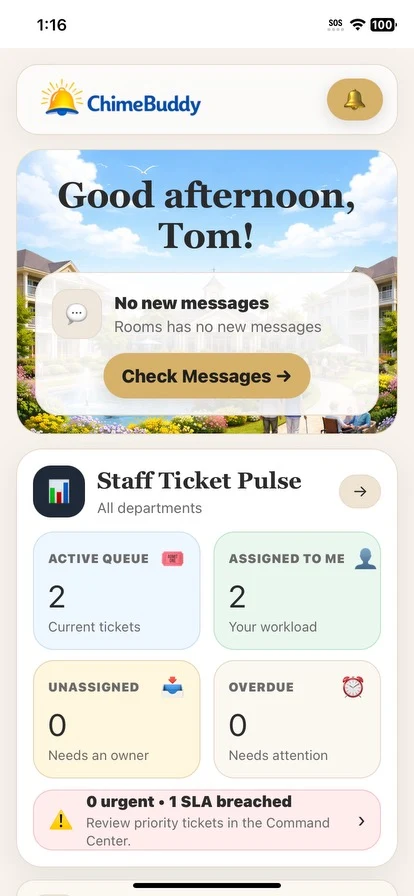
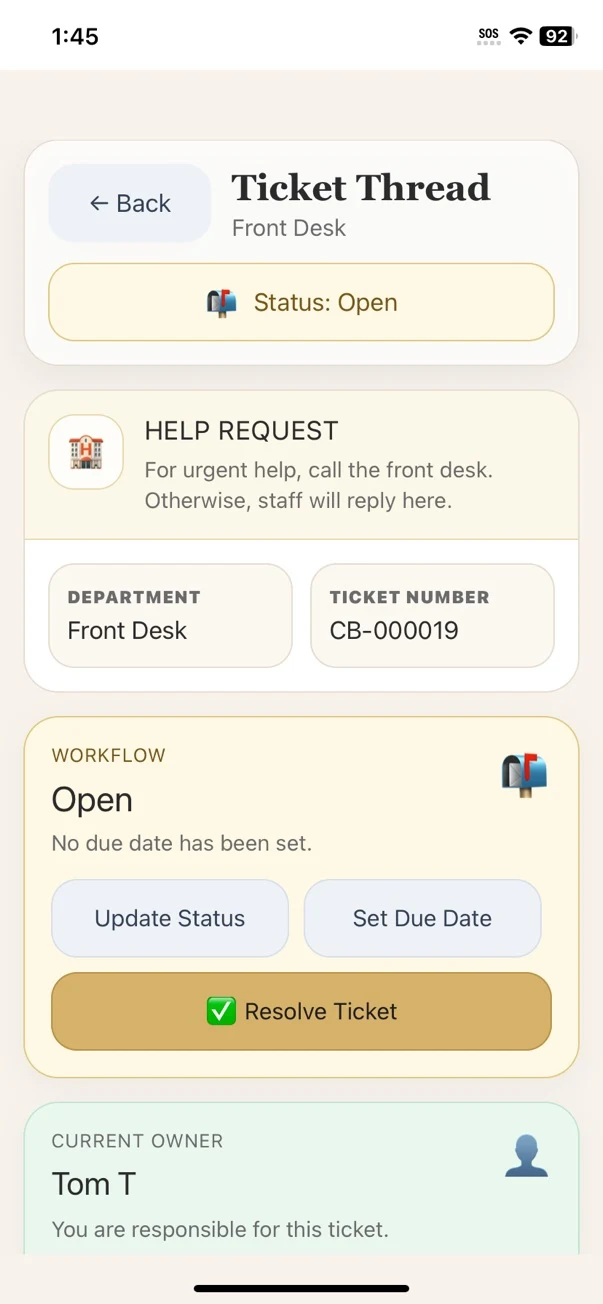
Assign requests, check RSVPs, message staff, update residents, and keep the next action visible across shifts.
Events, dining, announcements, reminders, signage, and kiosk information stay connected to the same community data.
Staff can see what is resolved, what is still open, and what needs follow-up without reconstructing the day from memory.
Keep everyone informed
Update the community once, then let that information travel.
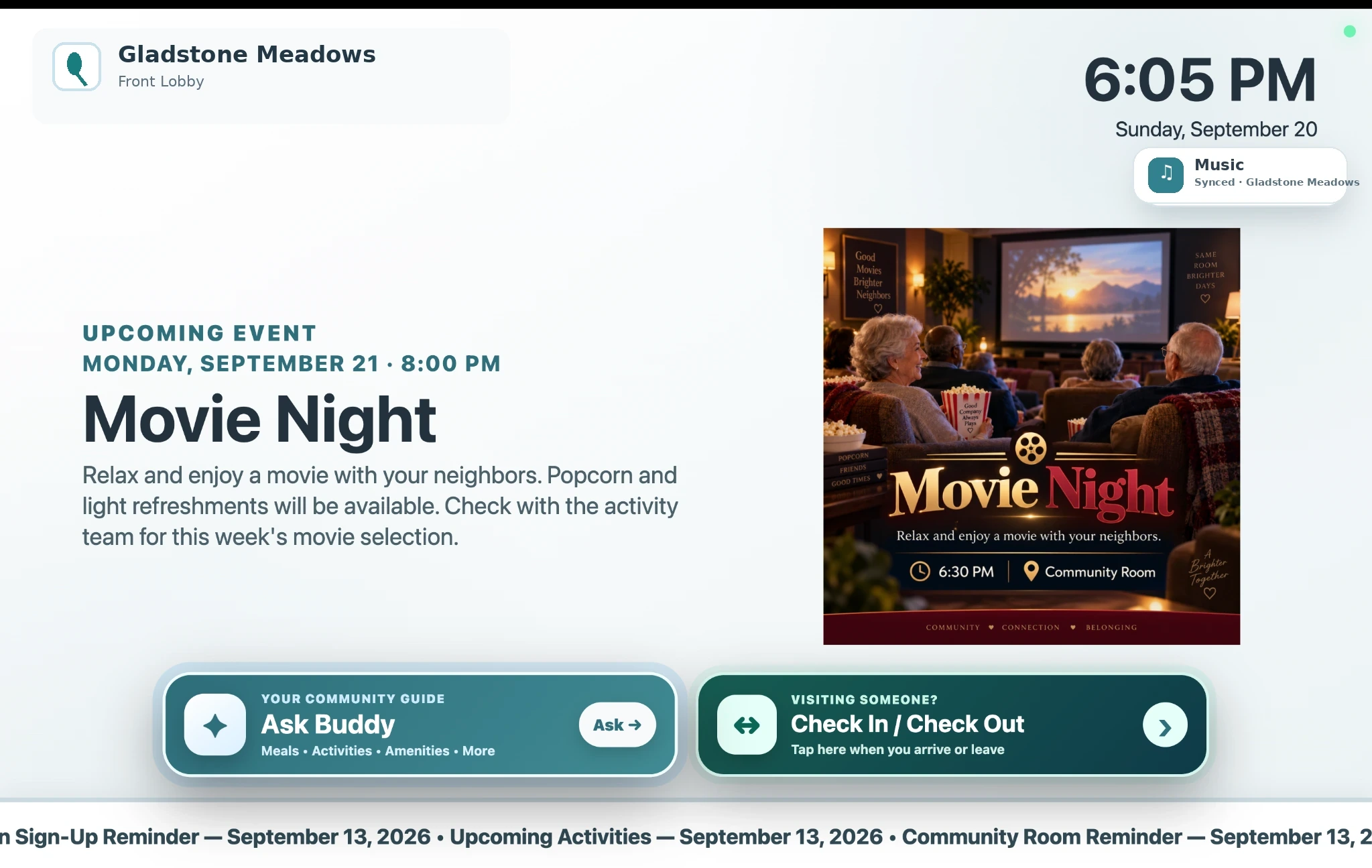
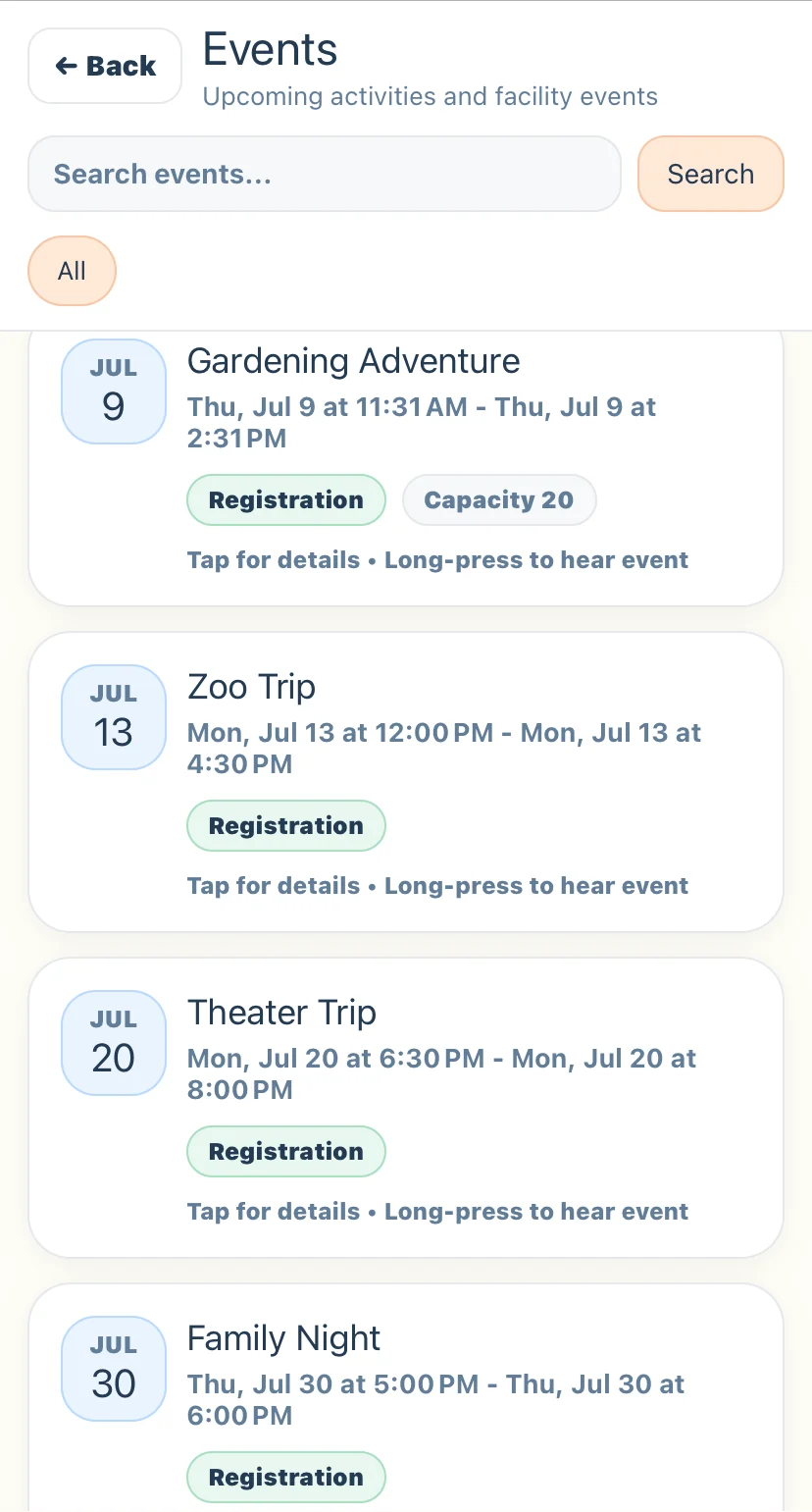
A schedule change should not become five separate communication tasks. ChimeBuddy helps staff keep events, resident reminders, digital signage, and community information aligned across the places residents actually look.
- Publish activities and recurring programs from one event workflow
- Review resident RSVPs and attendee lists before an activity begins
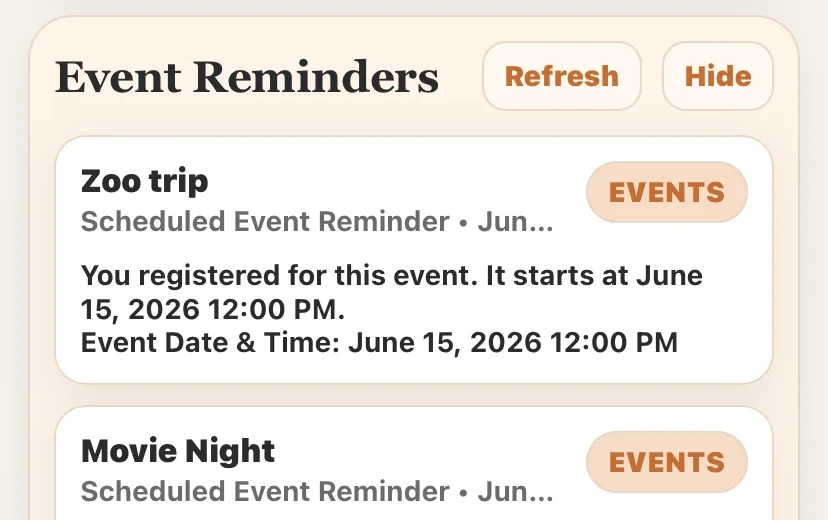
- Send event reminders—including broader reminders for important community events
- Show upcoming activities and announcements on shared TVs and signage
- Keep resident-facing information consistent across the app, kiosk, and displays
Staff Messaging + Team Rooms
Give staff a place to communicate that is built around the community.
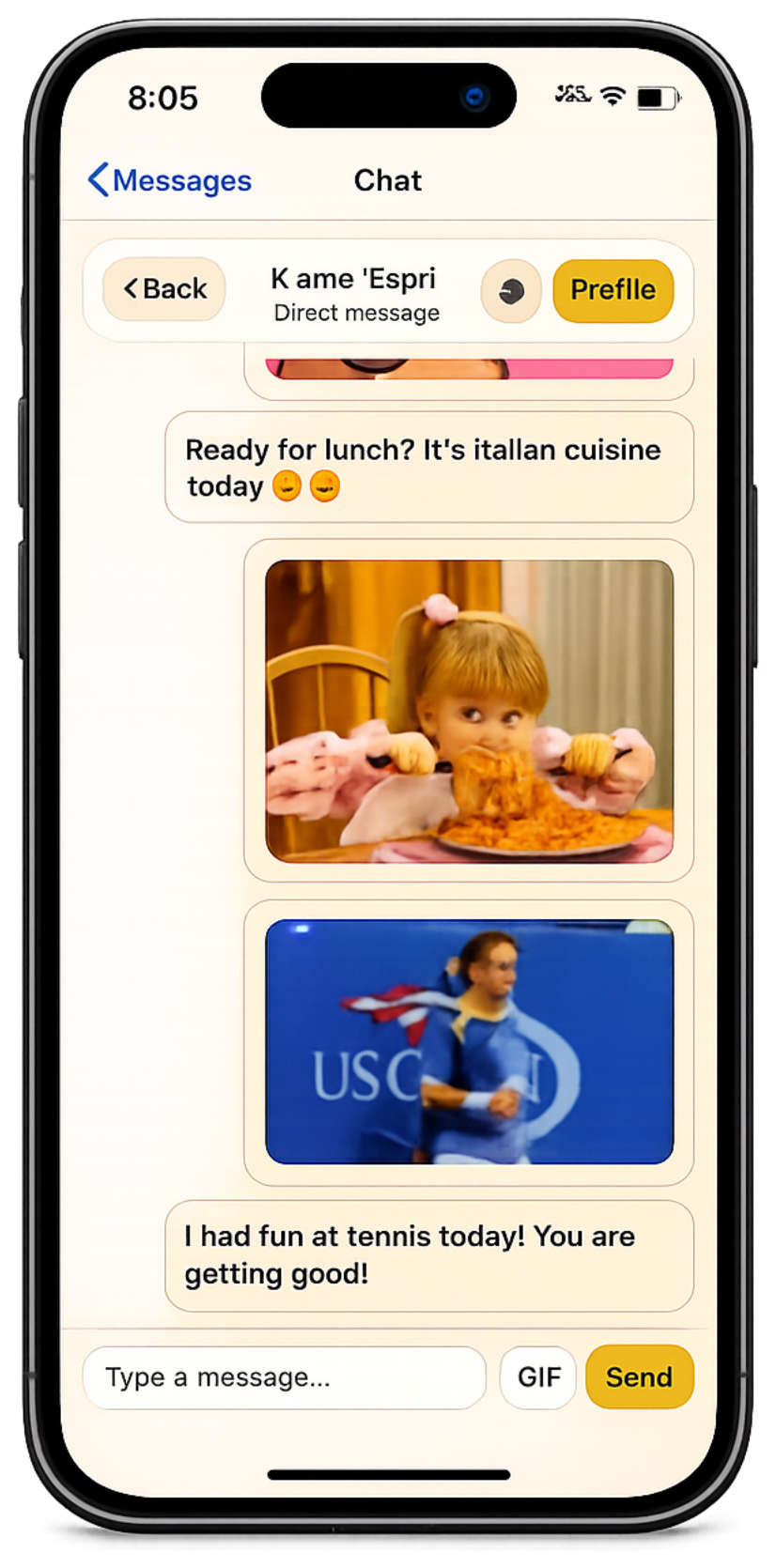
Staff communication should not have to live across personal texts, phone calls, and disconnected group chats. ChimeBuddy gives team members a shared communication space inside the same app they already use for community operations.
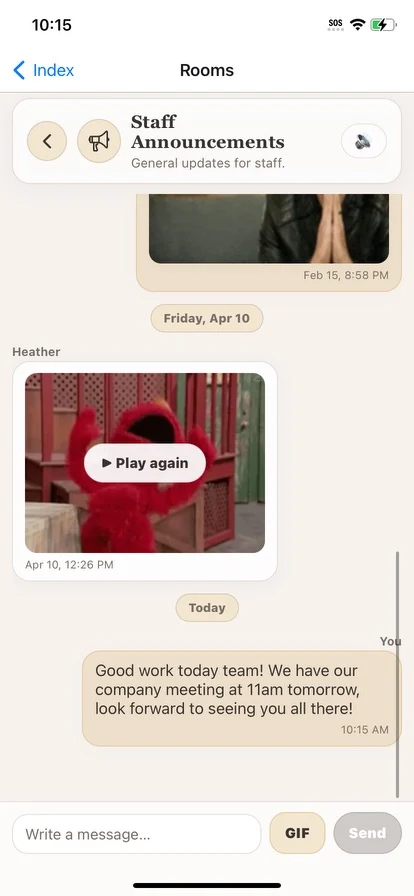
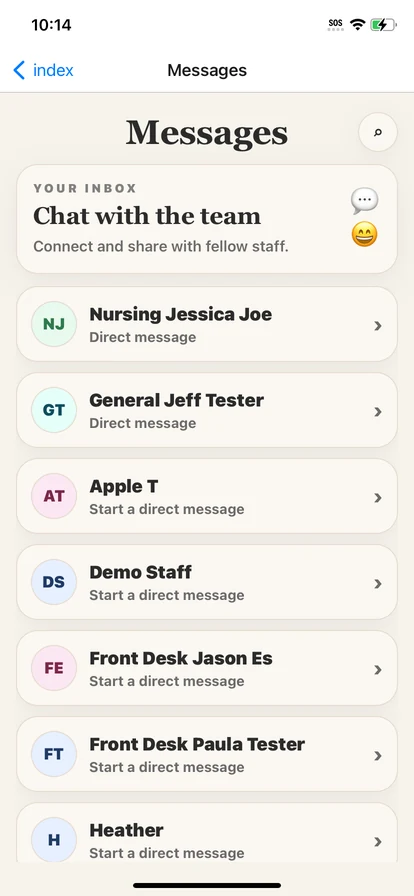
- Send direct staff-to-staff messages without leaving ChimeBuddy
- Share photos and visual context when a picture explains the situation faster
- Create staff-only rooms for teams such as Maintenance, Front Desk, Dining, Activities, or Leadership
- Use a Staff Announcements room for community-wide employee updates and important notices
- Keep department conversations available across shifts instead of losing context in one-off calls or texts
- Search for a staff member and start a conversation when something needs a quick handoff
Think of it as an internal team chat built into the community platform: direct conversations when one person needs to know, and staff-only rooms when the whole department or team needs the same update.
Keep daily operations organized
See what needs attention without chasing updates across departments.
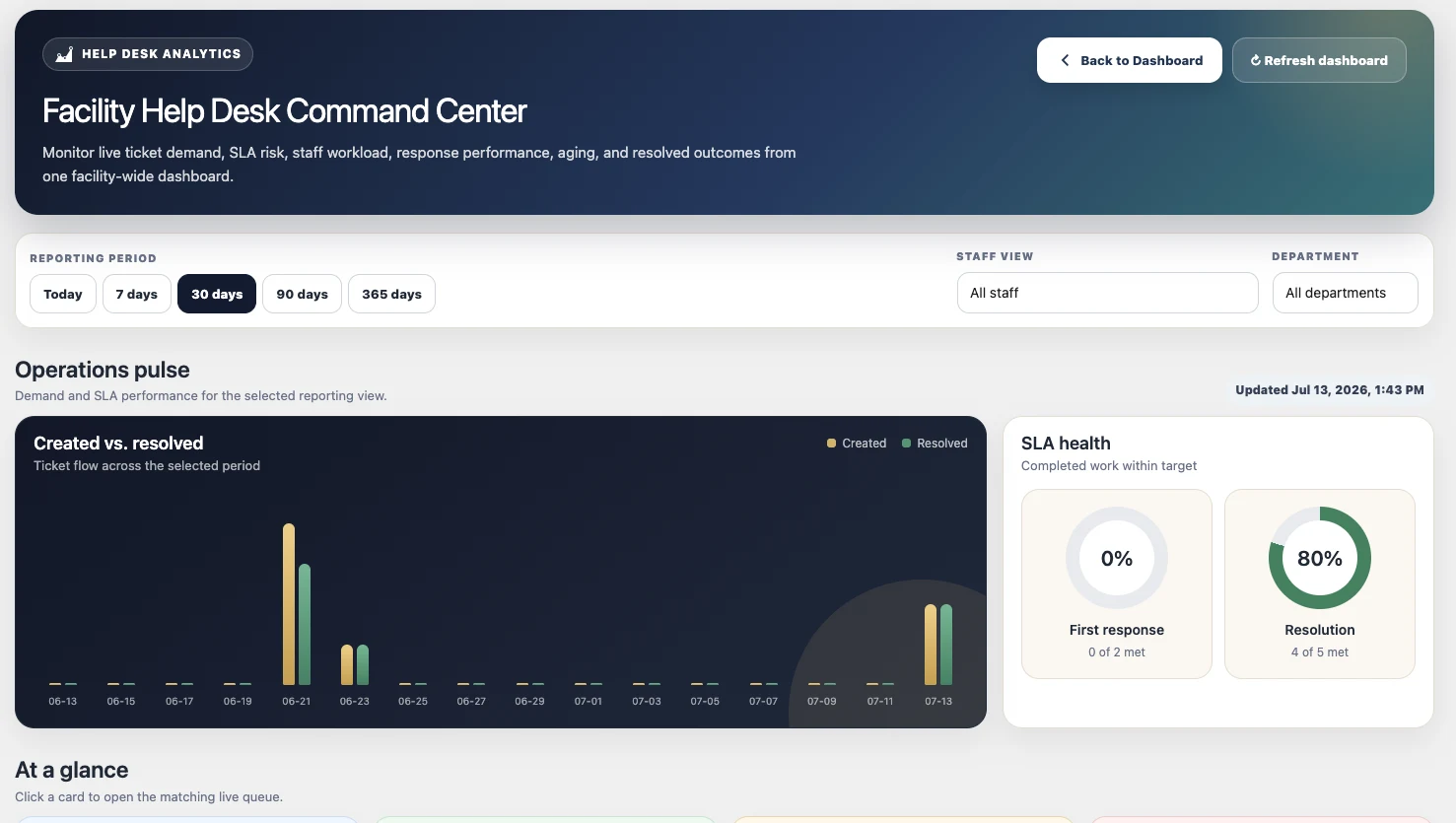
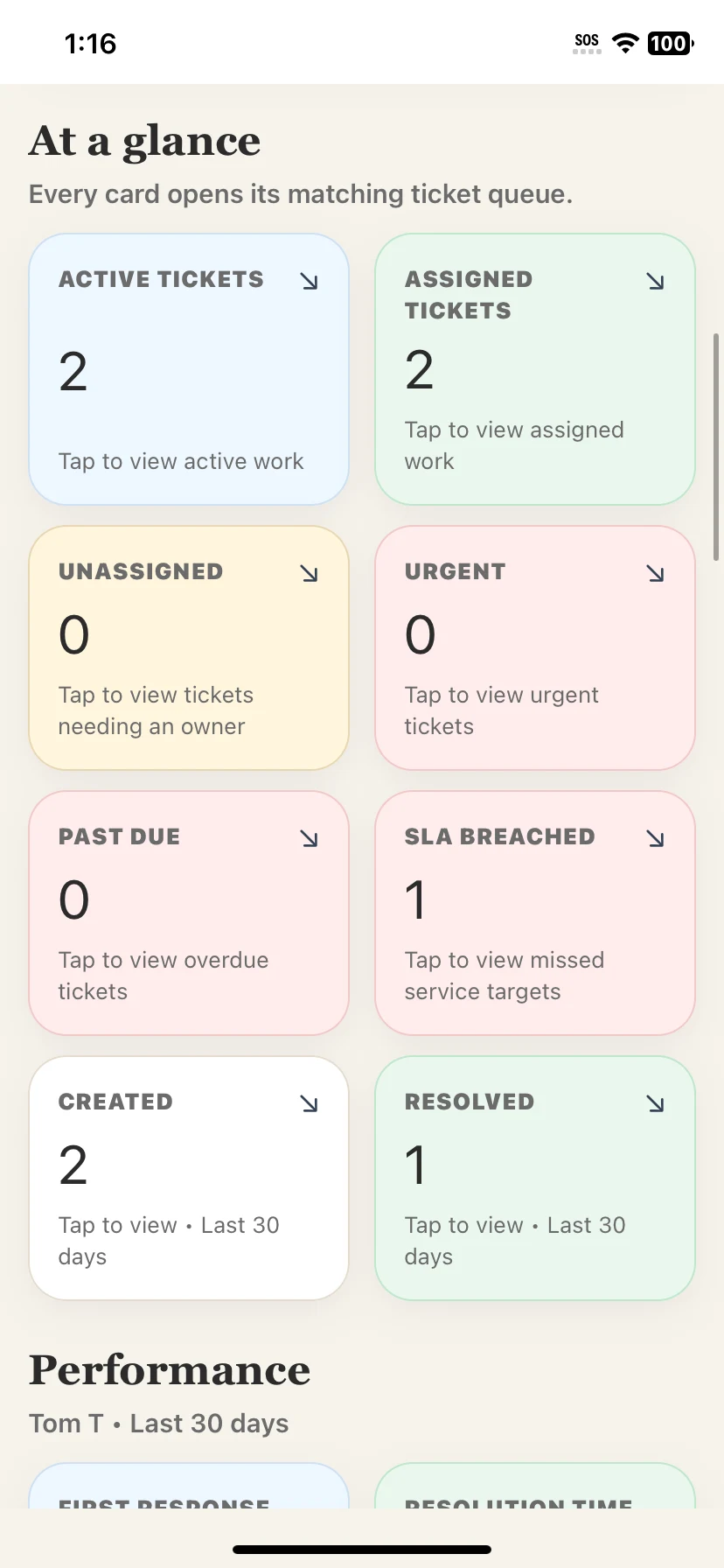
Requests, ownership, due dates, workload, and resident communication stay together. That gives staff a clearer way to hand work off, protect response times, and understand what is still waiting.
- Route requests across Front Desk, Maintenance, Housekeeping, Dining, Transportation, Nursing, and more
- Track assignment, priority, due dates, SLA health, and ticket age
- Keep resident-visible replies separate from staff-only notes
- Use reporting to see demand, aging work, and department trends
- Open connected admin tools from one protected facility portal
Give residents more independence
Let routine questions and simple tasks resolve without becoming another interruption.
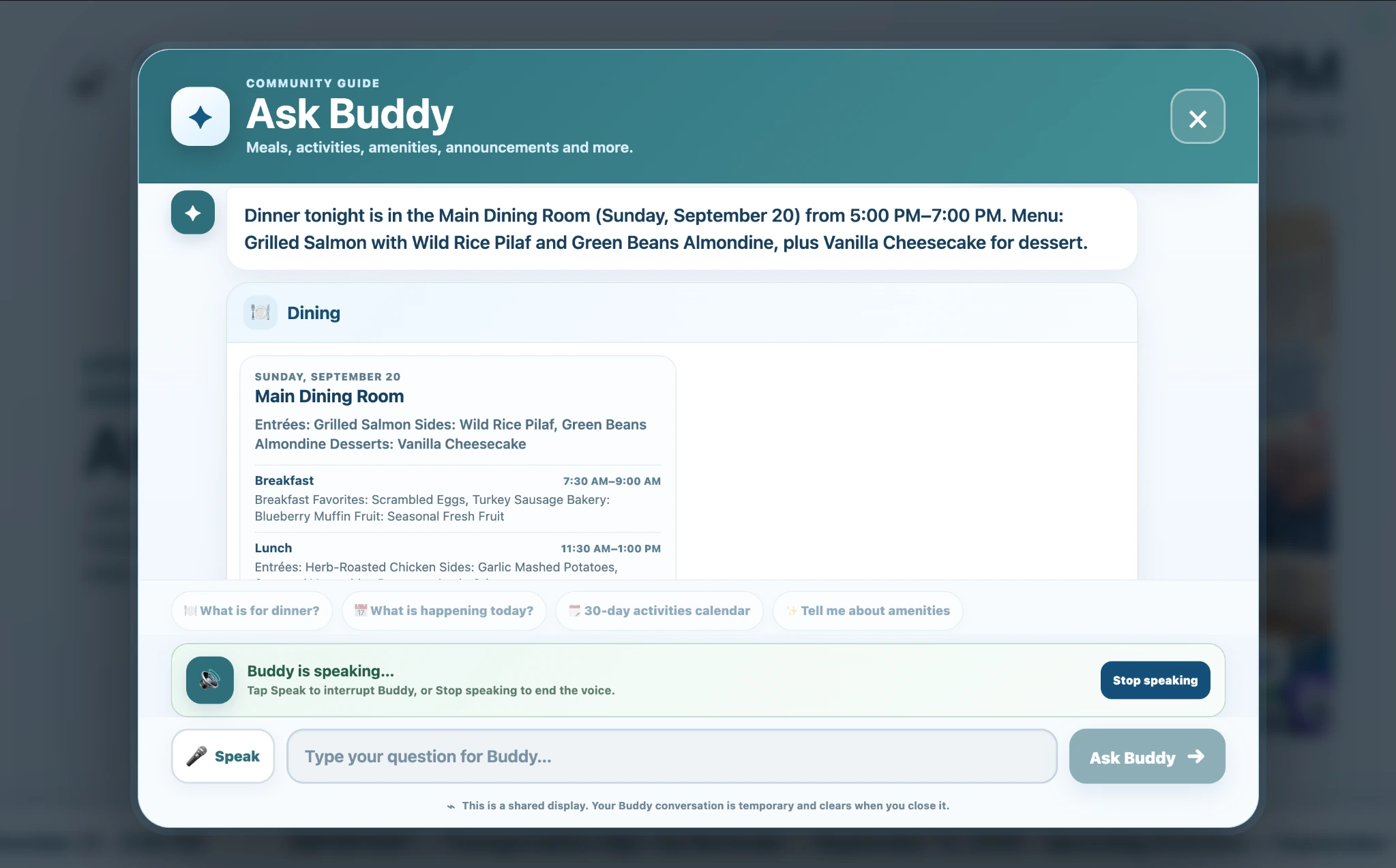
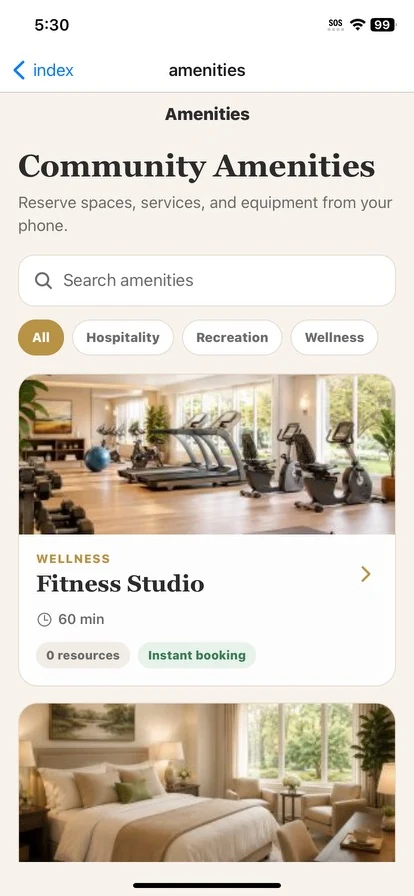
Not every resident wants to use the same device. ChimeBuddy can give residents multiple ways to find information, ask Buddy, browse activities, view dining information, or use self-service tools—while staff remain available when a person is actually needed.
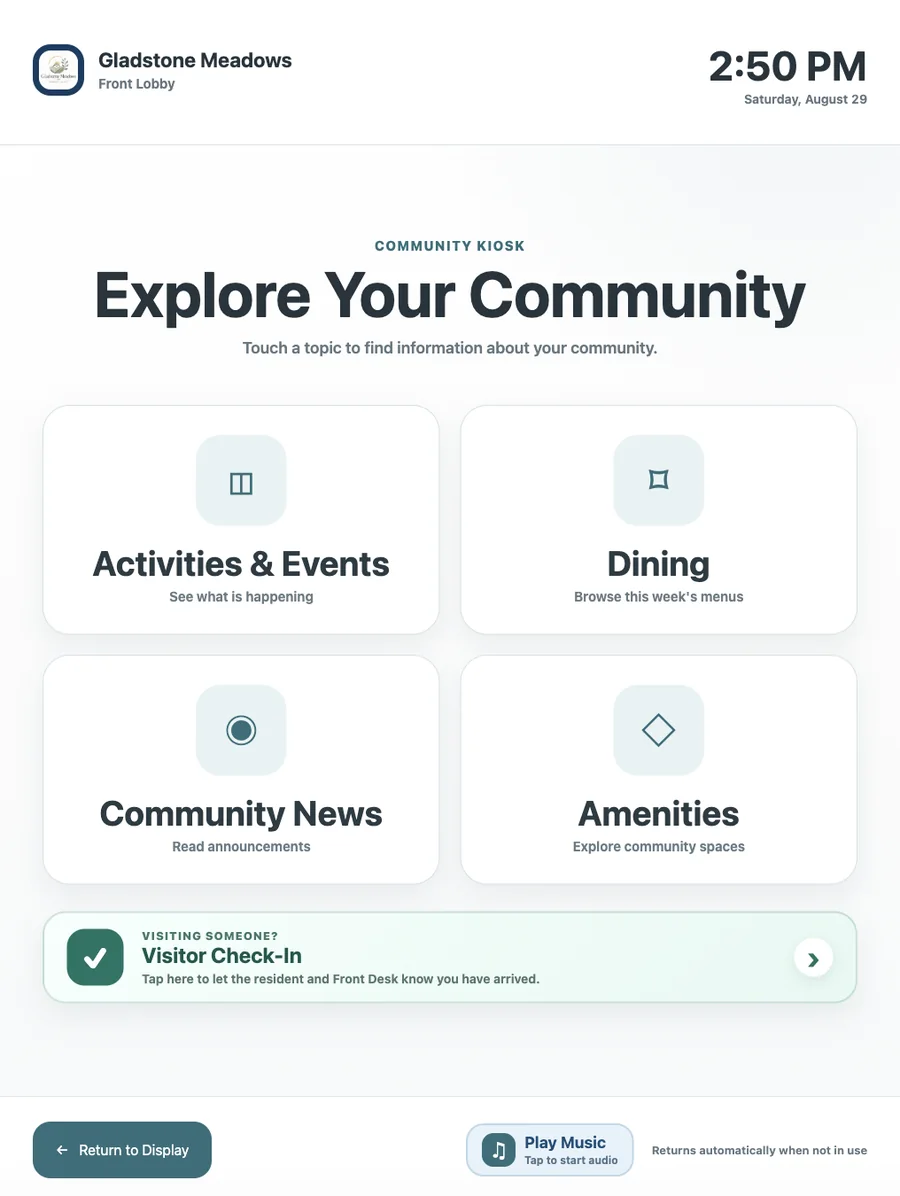
- Buddy Kiosk can answer common community questions in a shared location
- Residents can browse events, dining, amenities, and facility information
- Interactive kiosk mode can support visitor services and community exploration
- Resident self-service reduces the number of routine questions that reach the desk
- Staff still control the information and workflows behind the experience
Keep families and leadership connected
Give the right people visibility without creating more back-and-forth for staff.
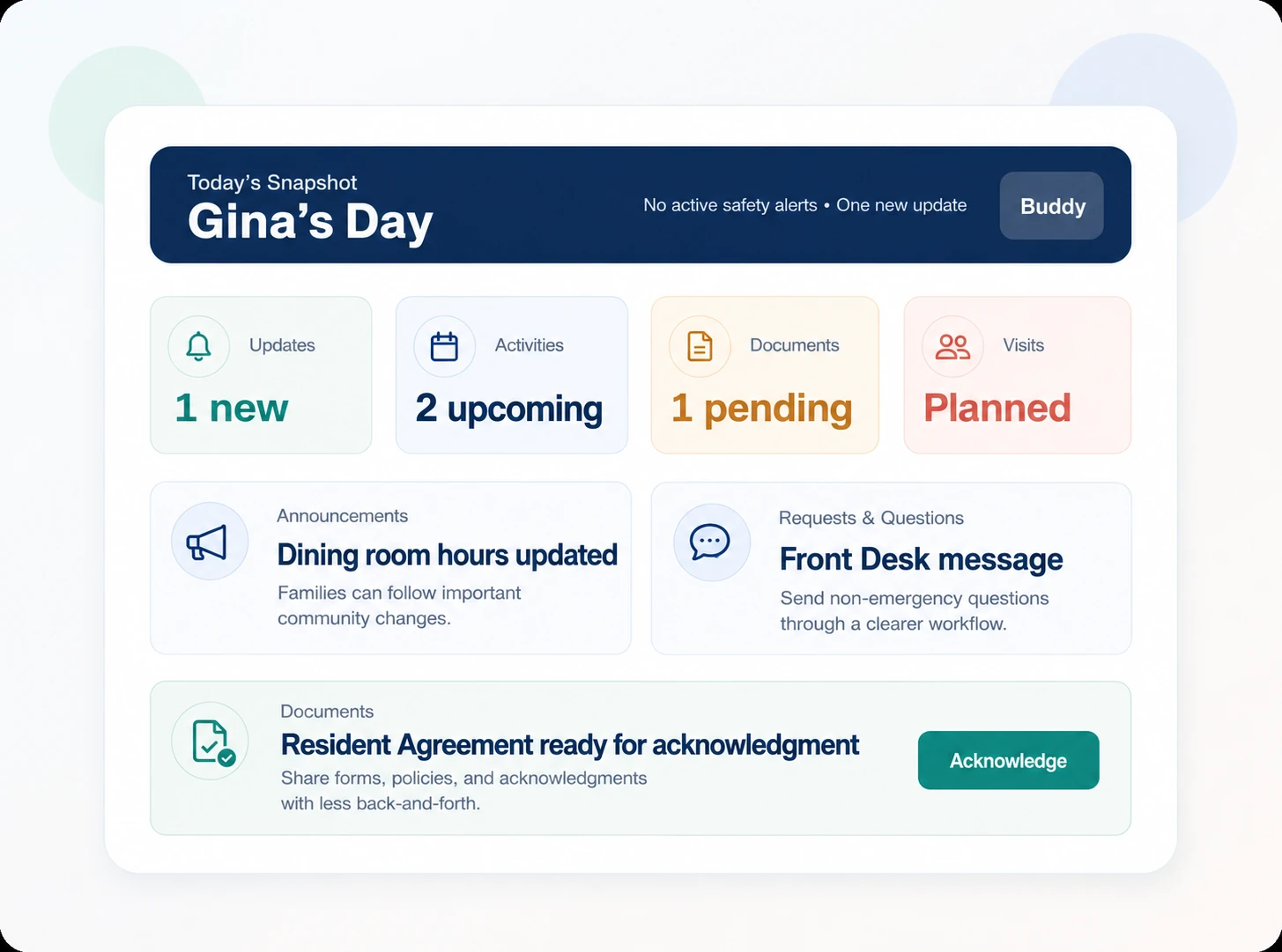
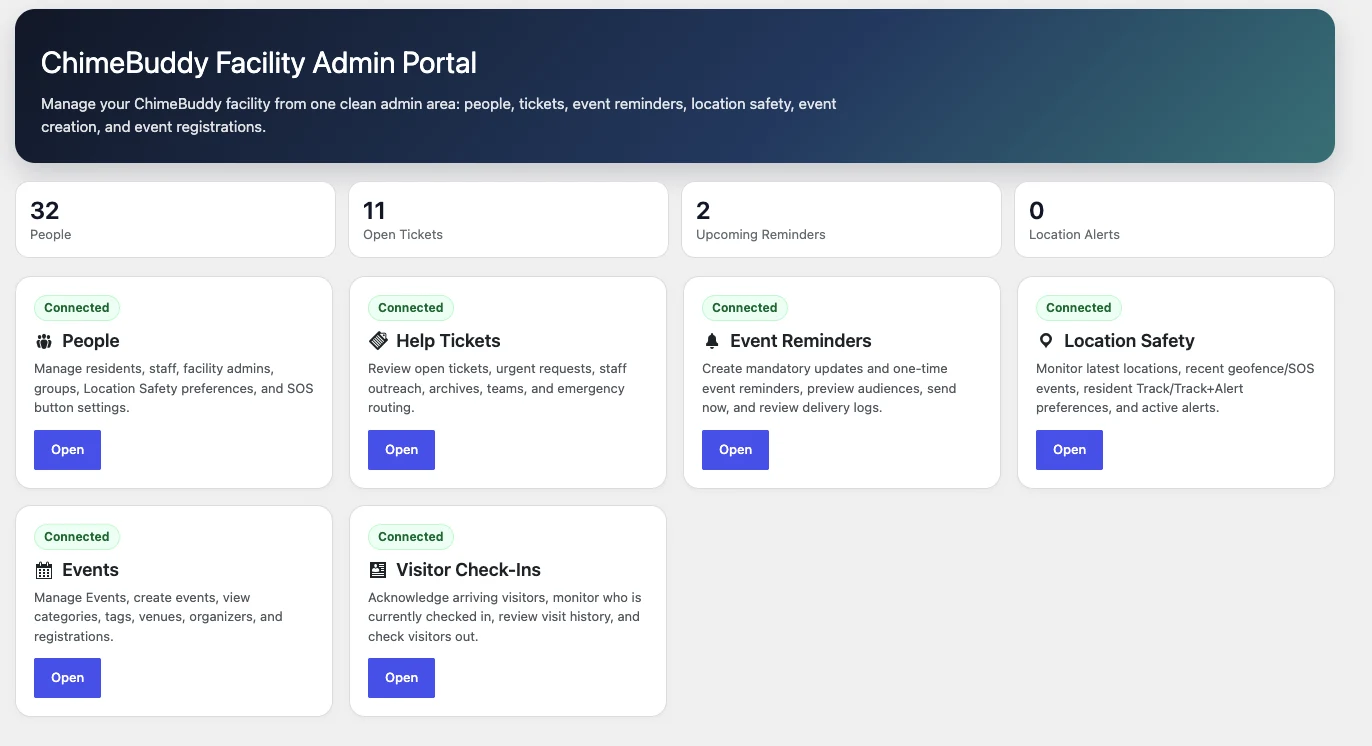
Families can stay closer to community life through the Family Portal, while facility leaders keep access to the people, requests, events, visitors, safety tools, and administrative workflows behind the resident experience.
- Families can see updates, activities, planned visits, documents, and community information
- Facility administrators can manage connected tools from one portal
- Staff roles and permissions help keep access appropriate by responsibility
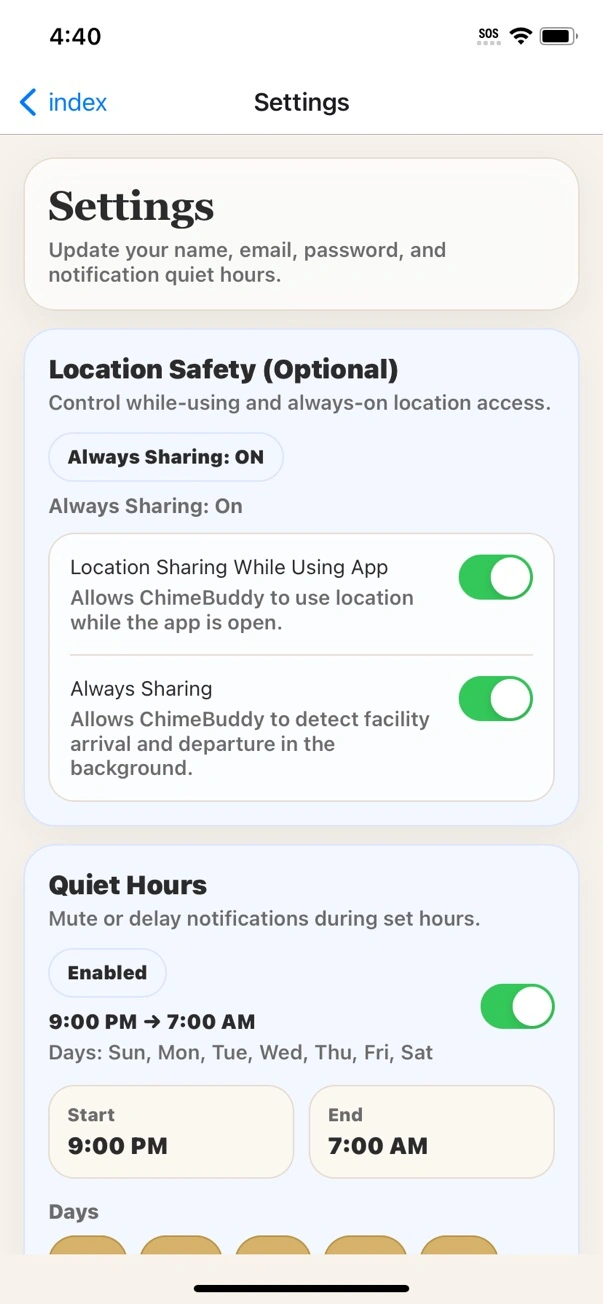
- Optional location safety tools provide arrival/departure awareness without continuous tracking
- Visitor workflows help the front desk see who is on site and what needs follow-up
Built around real staff roles
Different teams can use the parts of ChimeBuddy that actually fit their day.
One platform does not mean every employee sees or manages everything. ChimeBuddy can support different workflows across the same community while keeping information connected.
Activity Directors
Events, recurring programs, RSVPs, resident reminders, attendee lists, and digital signage.
Front Desk & Reception
Visitors, resident questions, requests, announcements, community information, kiosk support, and Front Desk team chat.
Maintenance & Housekeeping
Assigned requests, due dates, status updates, internal notes, photo sharing, and Maintenance or Housekeeping team rooms.
Dining & Hospitality
Menus, dining reservations, resident communication, special events, and shared signage.
Leadership & Administration
Operational visibility, permissions, people management, reporting, family access, and safety tools.
Everything in one place
The full staff toolkit—without making every feature its own giant section.
ChimeBuddy is broad by design. This compact view shows the range of tools staff can use while keeping the page focused on how those tools work together.
Activities & Communication
Events & recurring activities
RSVPs & attendee lists
Event reminders
Announcements
Direct messaging
Staff team rooms
Photo & media sharing
Digital signage
Buddy Kiosk
Resident Services
Help requests & tickets
Amenity reservations
Dining reservations
Dining menus
Visitor check-in
Facility information
Buddy AI assistance
Resident app access
Operations & Administration
Staff Command Center
Ticket assignment & SLA visibility
Reporting & workload trends
Staff accounts & permissions
People management
Family Portal
Location safety
Screen management
A connected staff experience
See how ChimeBuddy can fit the way your community already works.
You do not have to roll out every module at once. Start with the workflows that matter most, then expand as staff and residents are ready.