Centralized intake
Capture resident help requests, staff outreach, visitor-related needs, and operational follow-up in one queue.
Capture resident needs, route each request to the right department, clarify ownership, protect response targets, keep communication together, and give leadership a real-time view of facility-wide service performance.
Maintenance requests are only one part of daily community operations. ChimeBuddy gives facilities one consistent workflow for service needs across teams.
Capture resident help requests, staff outreach, visitor-related needs, and operational follow-up in one queue.
Send each request to the correct team instead of relying on phone calls, sticky notes, or verbal handoffs.
Make it clear who is responsible, which department owns the work, and when the request is due.
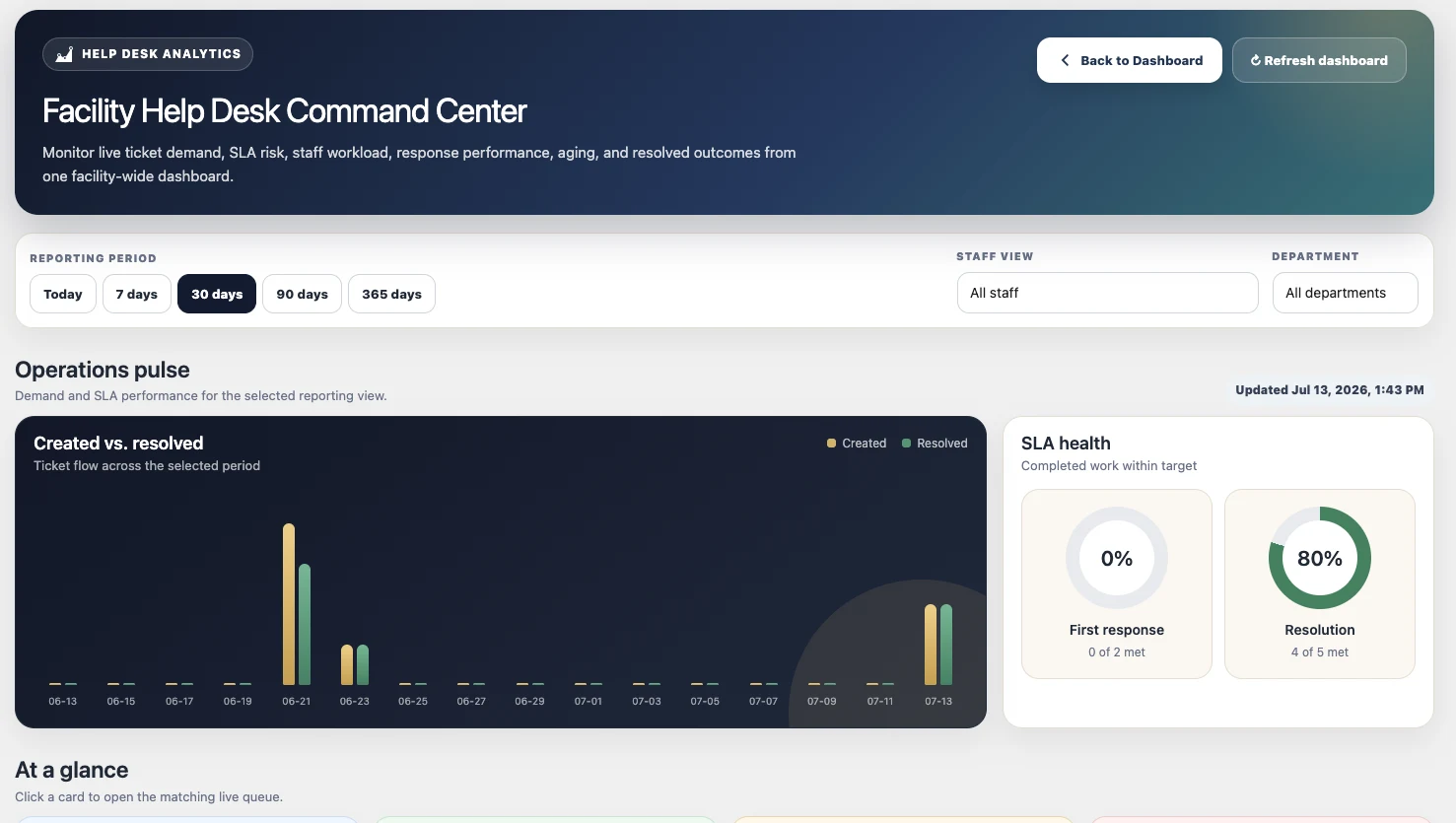
Track response, resolution, aging, volume, SLA performance, and resolved work across reporting periods.
Residents receive a familiar place to ask for help. Staff receive a structured workflow that makes the next action, owner, status, and communication history easy to understand.
A resident or authorized staff member submits the need with the relevant department and details.
The ticket enters the correct team queue with urgency, service target, and assignment context.
Eligible staff can claim, assign, reassign, or transfer the work as responsibilities change.
Staff send resident-visible updates, add internal notes, attach visual context, and preserve the timeline.
Completed work contributes to reporting on response, resolution, department demand, aging, and outcomes.
Facilities can organize queues around their own operational structure while keeping a consistent resident and staff experience.
Give every department a shared view of current demand, ownership, urgent work, aging tickets, service targets, and team performance — without forcing staff to chase updates across separate systems.
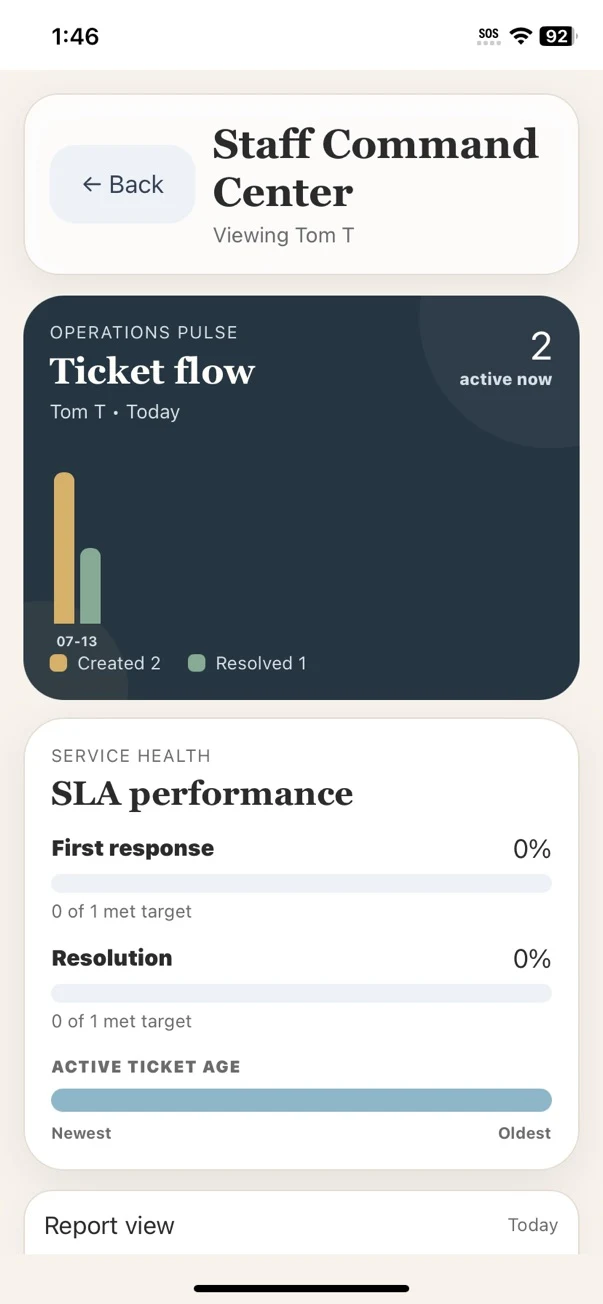
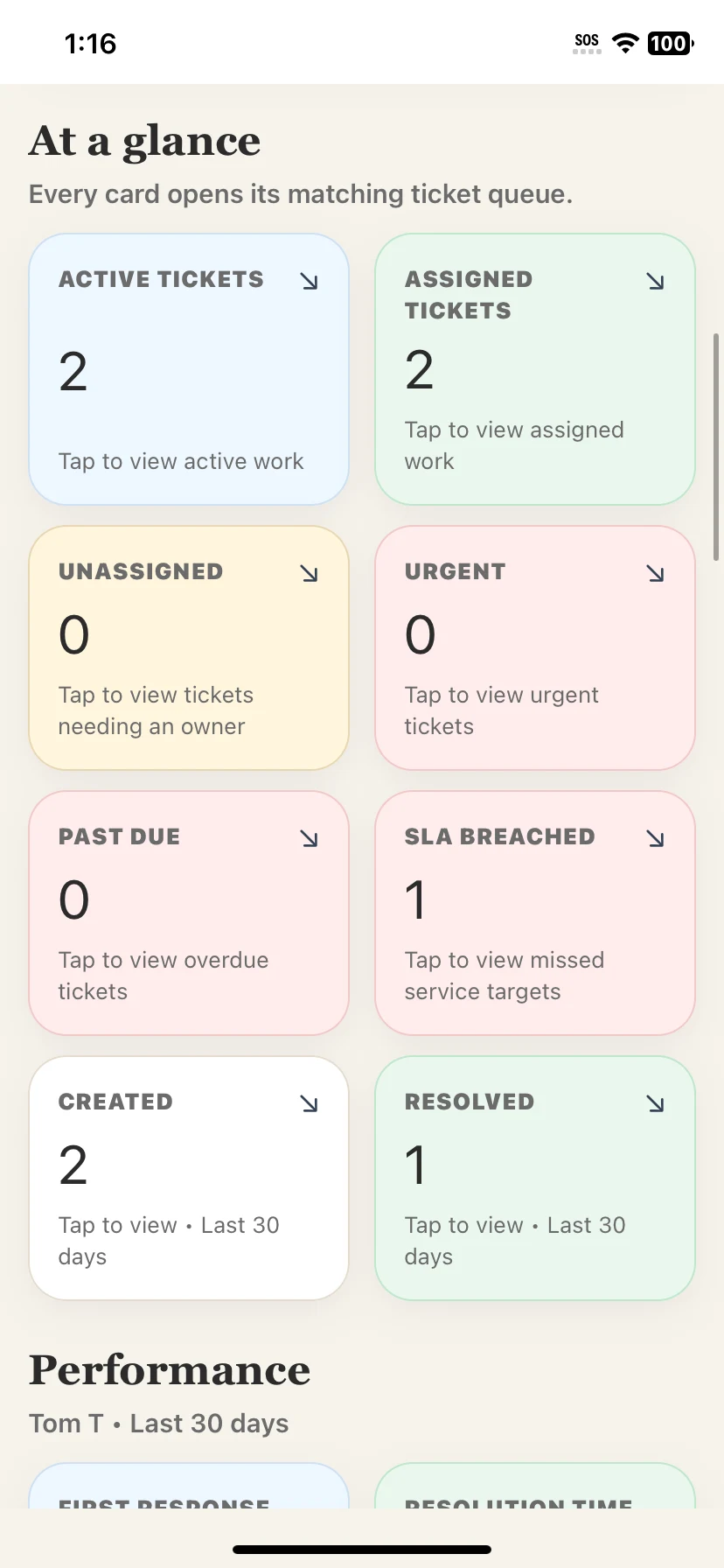
Live queue cards show active, assigned, unassigned, urgent, overdue, and SLA-breached work at a glance.
Staff can claim, assign, reassign, and transfer tickets so responsibility is visible instead of assumed.
SLA health, due dates, ticket age, and overdue filters surface risks before requests are forgotten.
Created-versus-resolved trends, department volume, status mix, and aging reports reveal where workflows need attention.
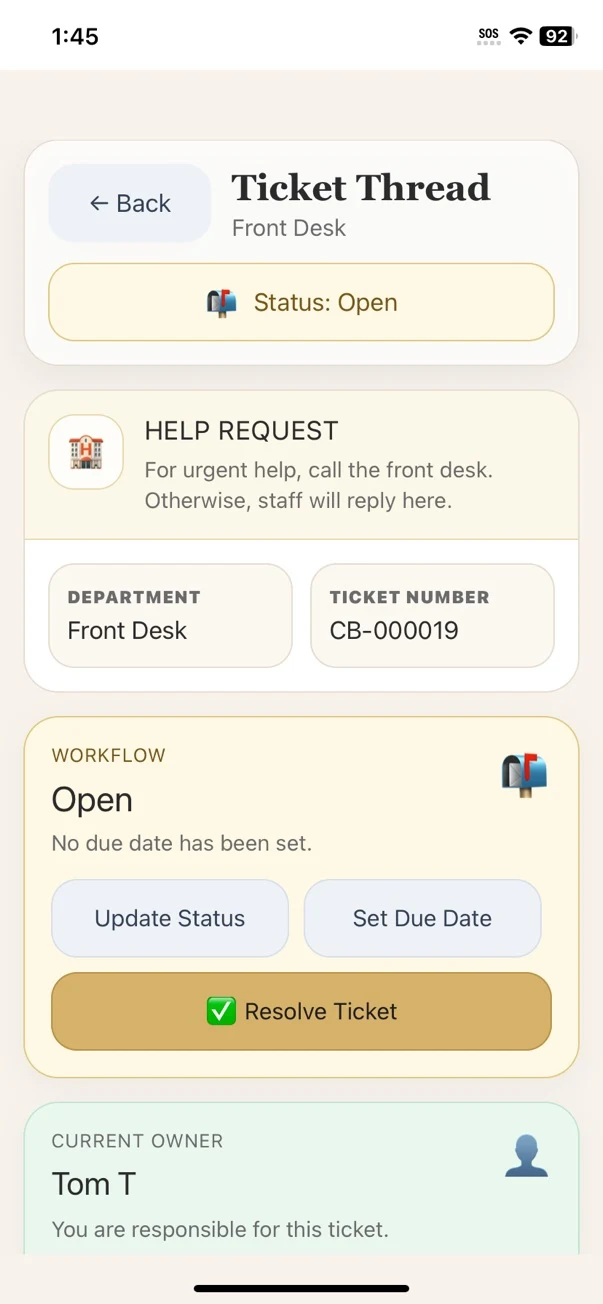
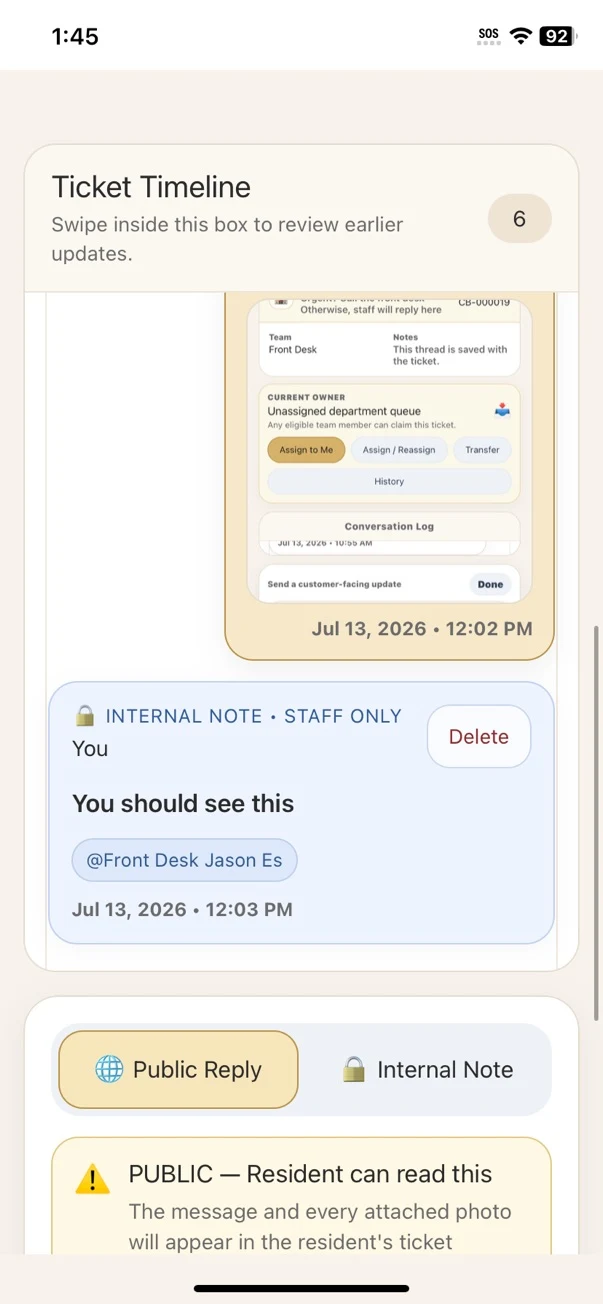
Each ticket becomes a clear operational record. Staff can update status, set due dates, resolve work, review the timeline, send public replies, and add staff-only notes without losing context.
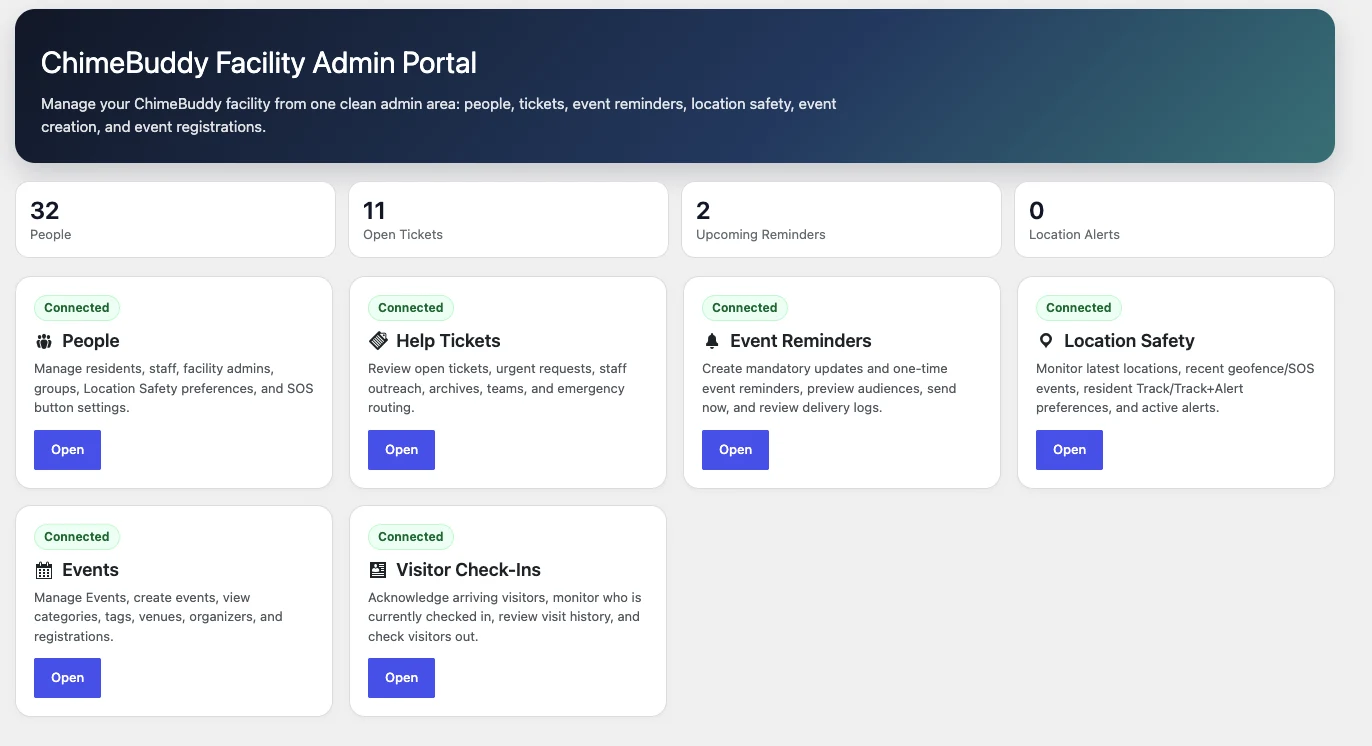
Facility administrators can move between connected operational tools from one protected dashboard instead of relying on the standard WordPress menu.
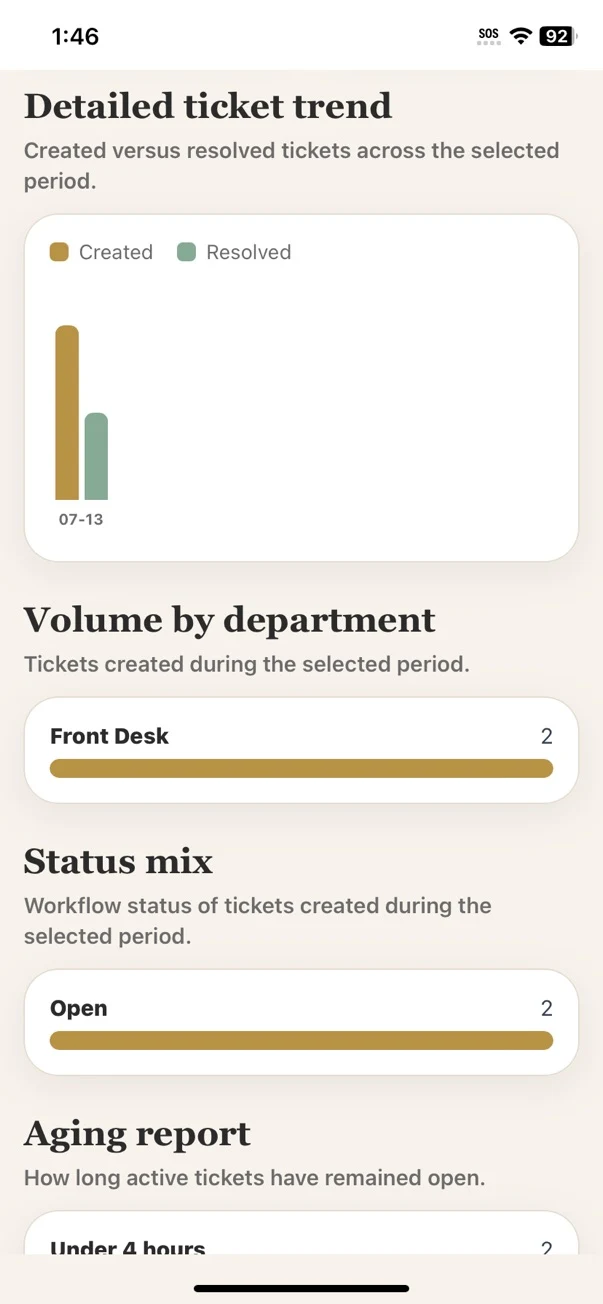
Leadership can compare demand and completion, identify overloaded teams, watch aging work, and understand where service targets are being missed.
Common questions about using ChimeBuddy as a facility-wide help desk and ticket management platform.
No. ChimeBuddy can route service requests to Front Desk, Nursing, Transportation, Maintenance, Housekeeping, Security, Dining, and other facility teams. Maintenance is one workflow within a broader all-department ticketing system.
Yes. The Staff Command Center surfaces active, assigned, unassigned, urgent, overdue, and SLA-breached work. Staff can also review due dates, ticket age, ownership, and priority.
No. Public replies and staff-only internal notes are clearly separated so teams can coordinate privately while keeping resident communication appropriate and easy to follow.
Yes. Facilities can review created-versus-resolved trends, department volume, status mix, ticket aging, SLA performance, response performance, and resolved outcomes for the selected reporting period.
Explore resident intake, staff queues, ownership, ticket timelines, SLA visibility, reporting, and facility administration in a personalized demo.