
Fewer routine calls
Residents can submit reservation details directly instead of calling the front desk or dining team for every request.
ChimeBuddy helps senior living communities manage dining reservations across one or multiple locations with resident requests, staff confirmations, guest details, and clear reservation status updates.
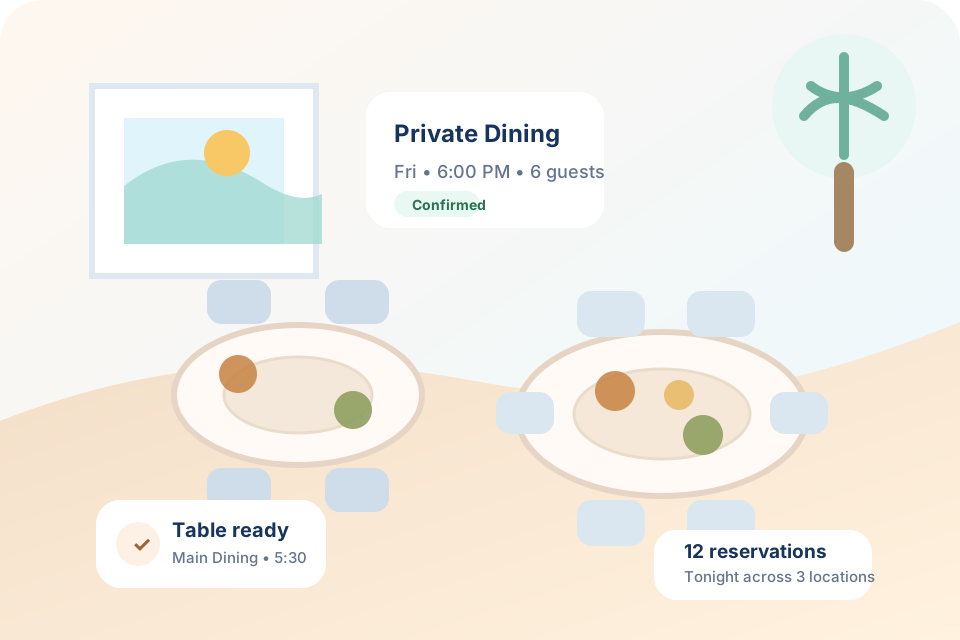
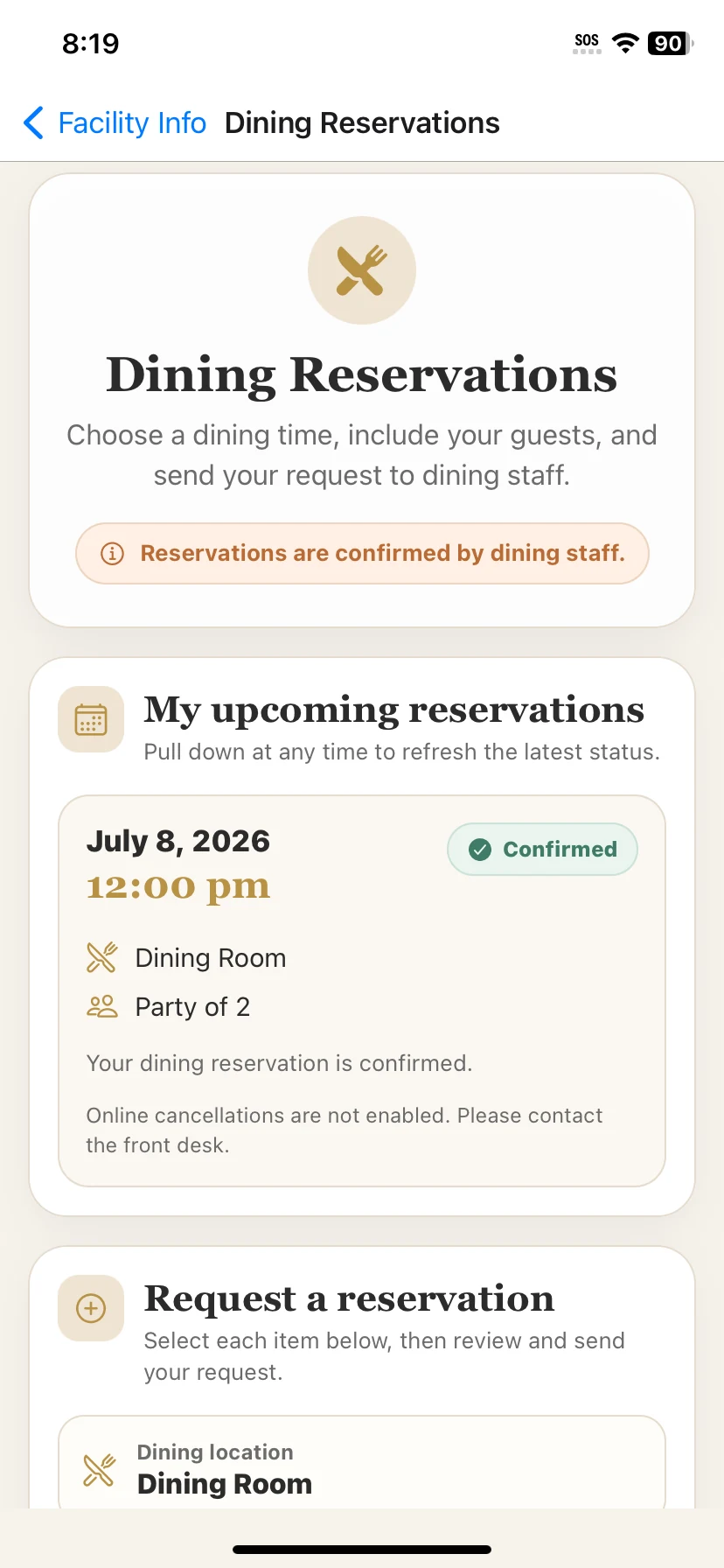
Senior living dining teams often juggle resident requests, family meals, private dining, party sizes, special events, and multiple dining venues at once. ChimeBuddy gives residents a simple way to request reservations while staff get a clearer workflow to review and manage them.
Residents can submit reservation details directly instead of calling the front desk or dining team for every request.
Staff can see locations, dates, times, party sizes, and reservation status in one organized place.
Guest meals and private dining requests become easier to plan, confirm, and communicate.
Use ChimeBuddy for a main dining room, bistro, cafe, private dining room, or multiple restaurants.
Residents submit requests in the app, staff review them in the admin portal, and everyone has a clearer view of reservation status.
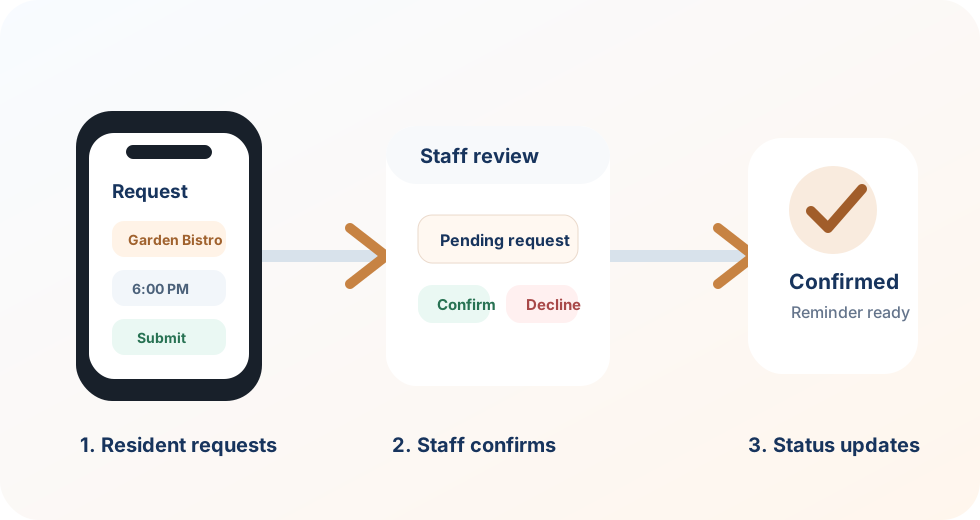
Residents select the dining room, bistro, restaurant, or private dining location they want to reserve.
The request can include timing, number of guests, and details staff need to plan the reservation.
Dining staff can confirm, decline, manually add reservations, and keep each booking organized.
Instead of relying on staff to write down every request, residents can use ChimeBuddy to choose where they want to dine, when they want to go, and how many guests are joining them.
ChimeBuddy can be configured around your dining setup, whether your community has one main dining room or several locations residents can choose from.
Daily meal service, recurring reservations, and resident dining requests.
Casual dining, coffee, snacks, and flexible reservation options.
Family meals, birthdays, celebrations, and special occasions.
Holiday meals, themed dinners, and limited-capacity dining experiences.
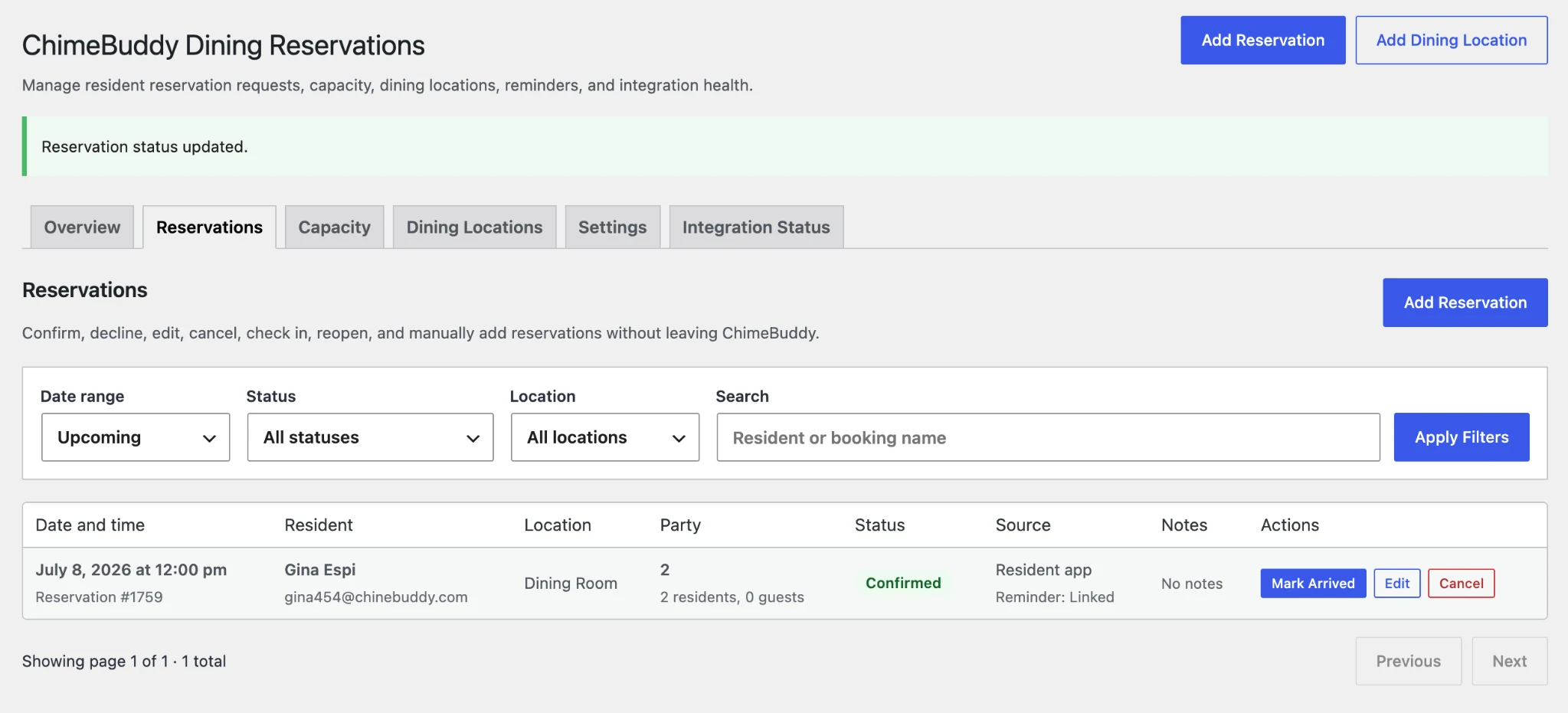
The ChimeBuddy admin portal gives staff a more structured way to manage dining reservations without chasing down notes, texts, calls, or disconnected spreadsheets.
Dining is one of the most visible parts of daily life in a senior living community. A smoother reservation process can reduce staff interruptions and make meals easier to plan.
Keep each request tied to a location, date, time, party size, and status.
Residents can start the reservation process from the app instead of relying on staff for every step.
Guest meals and private dining can be coordinated with less confusion.
Staff can review requests from one dashboard and keep the process moving.
Senior living dining reservation software helps residents request dining times, choose a dining location, add party details, and gives staff a central place to review, confirm, and manage reservations.
Yes. ChimeBuddy can support one dining room or multiple dining locations such as a main dining room, bistro, cafe, private dining room, or community restaurant.
Yes. Staff can review incoming reservation requests, confirm or decline them, create manual reservations, and keep reservation details organized in the admin portal.
Yes. Dining reservations can help residents and families plan meals, special occasions, private dining, and guest visits with clearer communication and fewer scattered phone calls.
Yes. Dining reservations can work alongside reminders, family portal features, announcements, visitor check-in, resident engagement tools, and staff communication workflows.
See how ChimeBuddy can support dining reservations, resident engagement, family communication, staff workflows, and more in one senior-friendly platform.
Request a Demo