
Check in the delivery
Staff snap or upload a photo of the shipping label using a phone, tablet, or computer.
ChimeBuddy's senior living package management software helps front desk teams log deliveries, read labels with AI assistance, notify residents, and track pickups—without another paper log or disconnected tool.
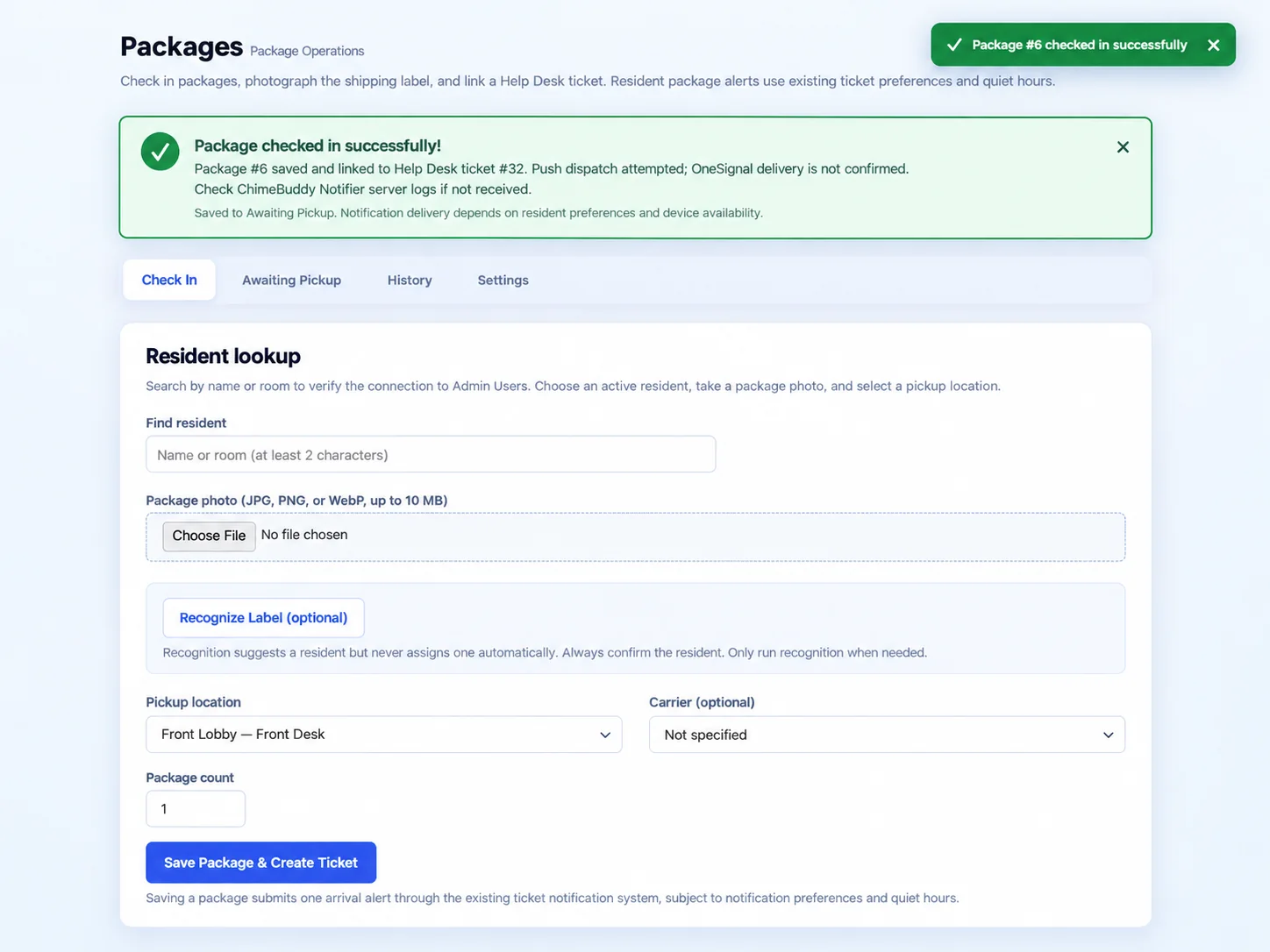
Replace loose notes, forgotten calls, and package-room guesswork with a consistent, visible workflow that fits the way assisted living and independent living communities operate.
Staff snap or upload a photo of the shipping label using a phone, tablet, or computer.
AI can suggest a name or room from the label. Staff review the result and confirm the correct resident.
Saving the package creates a linked Help Desk ticket and triggers the resident's arrival alert.
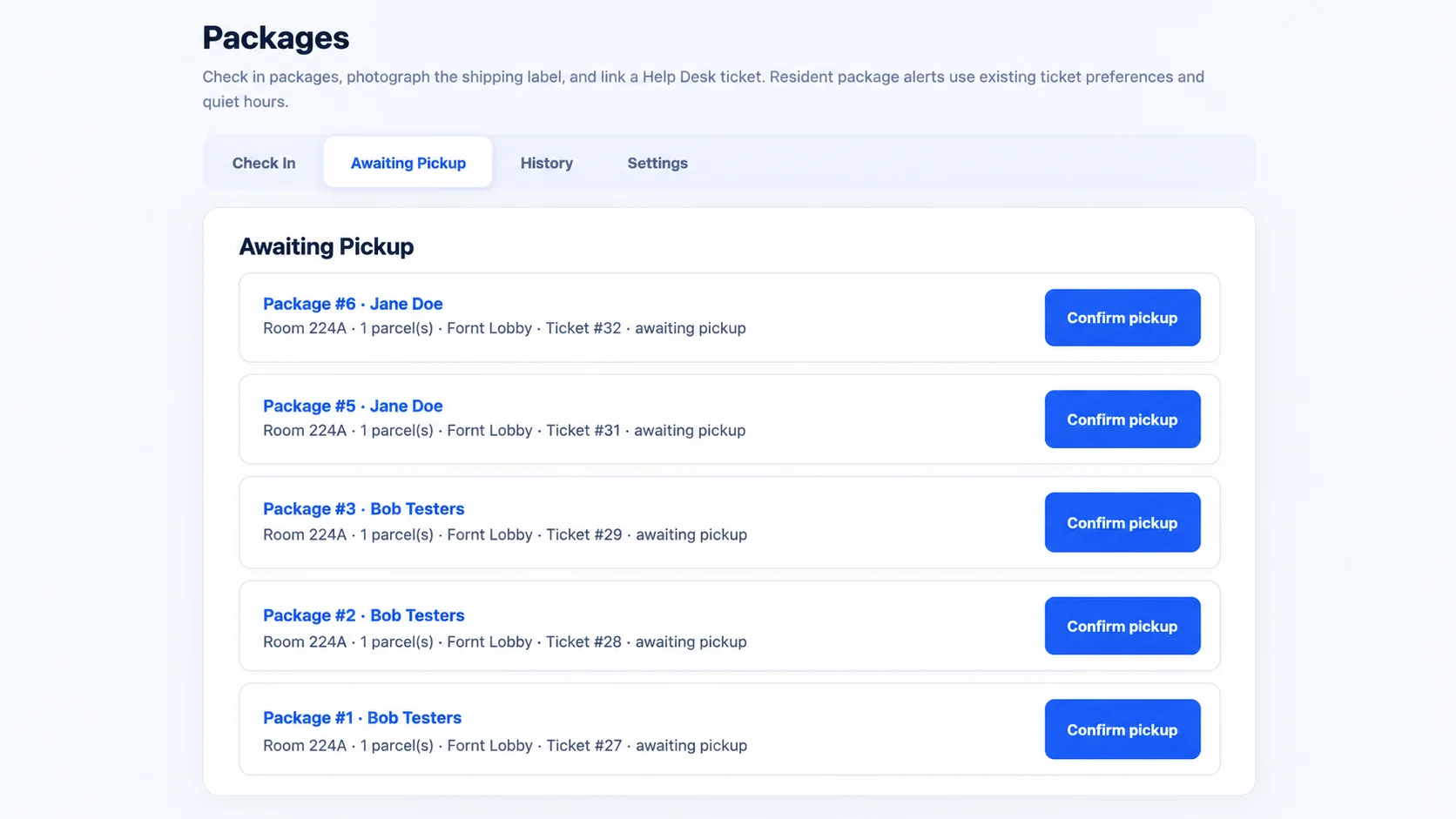
Keep packages in an awaiting-pickup queue until staff mark them collected and the record moves to history.
ChimeBuddy's optional AI package label scanning helps recognize resident information on a photographed shipping label, including the name or room number. The system can suggest a match from your community's resident directory so staff don't have to start every check-in from scratch.
Staff stay in control: recognition never assigns a package to a resident without confirmation. Teams can review the suggestion or find a resident manually before saving.
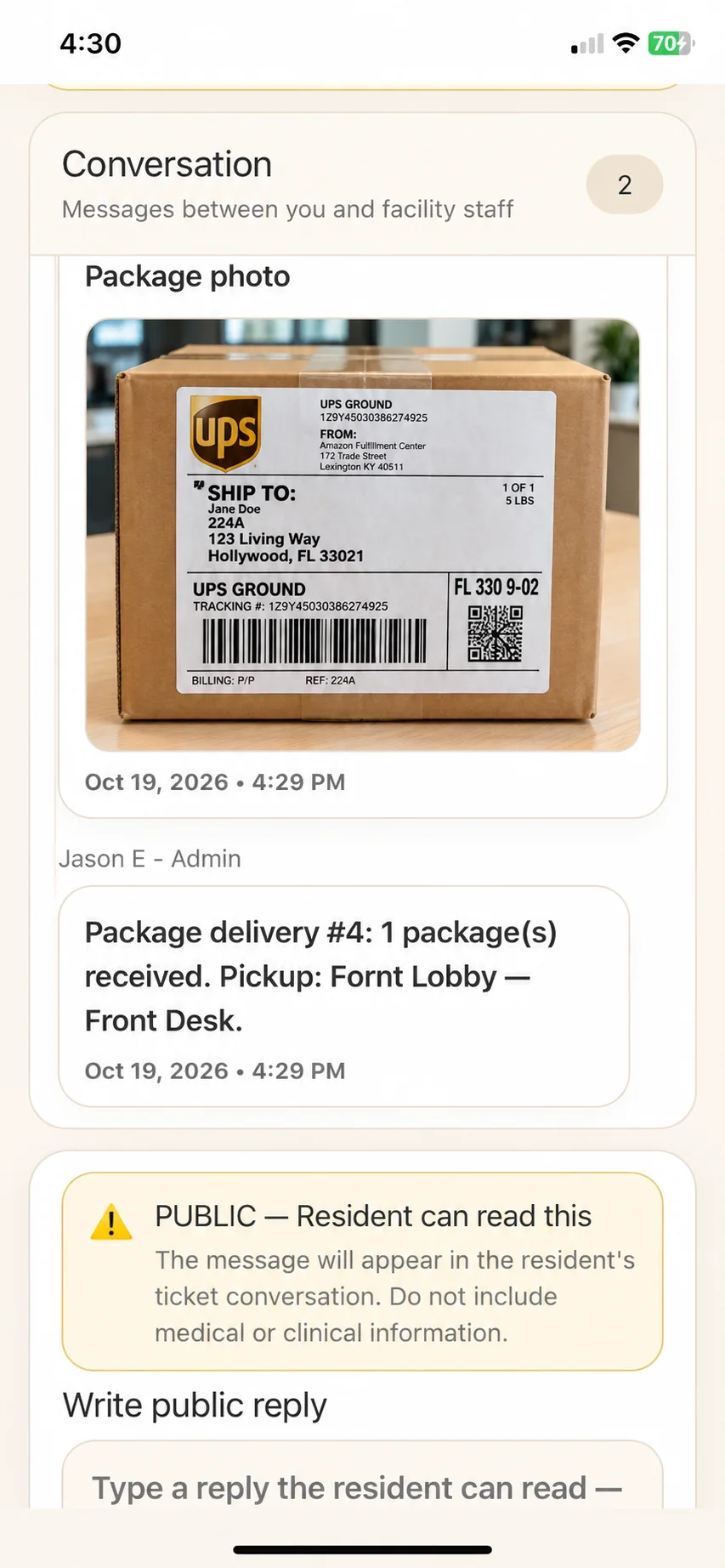
When staff save a delivery, ChimeBuddy creates a Help Desk ticket linked to the resident. The ticket includes the package image and pickup information, keeping the details together in a familiar conversation.
The existing notification system sends a package-arrival alert according to each resident's notification preferences and quiet hours. Residents can open their ticket to see the message and know where to collect their delivery.
Notification delivery depends on the resident's settings and device availability.
A shared package dashboard helps staff quickly identify uncollected deliveries, open the details, and confirm pickup. No more searching through paper sign-in sheets or trying to remember who received what.
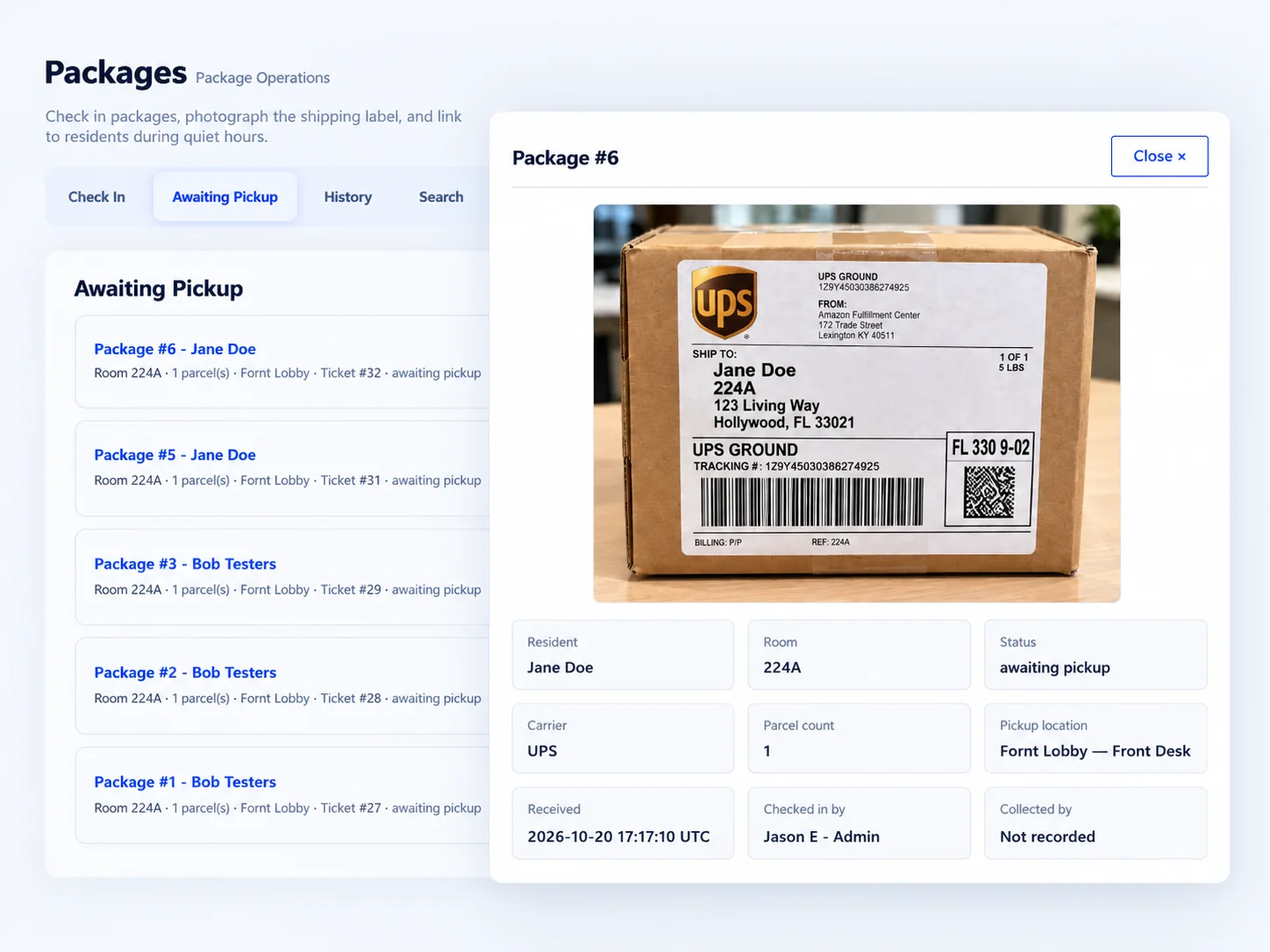
Open any delivery to see the label image, assigned resident, room, carrier, parcel count, designated pickup location, check-in date, and staff information.
Reduce the repetitive work of logging deliveries, looking up unit information, and fielding “Did my package arrive?” questions.
Make deliveries feel simple and predictable, with package arrival information inside the ChimeBuddy experience they already know.
A few common questions about how ChimeBuddy handles resident deliveries.
Staff take or upload a delivery photo, select the correct resident and pickup location, and save the check-in. ChimeBuddy creates a linked Help Desk ticket, triggers the resident notification workflow, and lists the delivery in Awaiting Pickup until staff confirm collection.
Yes. Optional AI-assisted label recognition can read information from the photographed label and suggest a resident or room match. Staff verify the result before a package is assigned. Manual lookup is also available.
A delivery check-in creates a resident-linked Help Desk ticket with the photo and pickup details. ChimeBuddy attempts an arrival notification using the existing ticket notification system, respecting resident preferences, quiet hours, and device availability.
Yes. The Awaiting Pickup view lists outstanding packages. Staff can open the details, confirm collection, and review completed deliveries in History.
No special package-locker equipment is required for the ChimeBuddy check-in workflow. Staff can photograph or upload a shipping label from a compatible device and use the Admin Portal to manage packages.
See how ChimeBuddy brings together package tracking, AI-assisted check-in, resident notifications, and staff workflows in one platform.