Built around the activity director’s day

Activity Director Software for Senior Living

Keeping a full activity calendar organized is only half the job. Residents need to know what is happening, staff need to know who is coming, changes need to reach people quickly, and families want a window into community life. ChimeBuddy connects those pieces so activity directors can spend less time repeating updates and more time creating experiences residents want to join.

A practical workflow for life enrichment teams: recurring events, RSVPs, reminders, resident app updates, community TV displays, and family visibility.

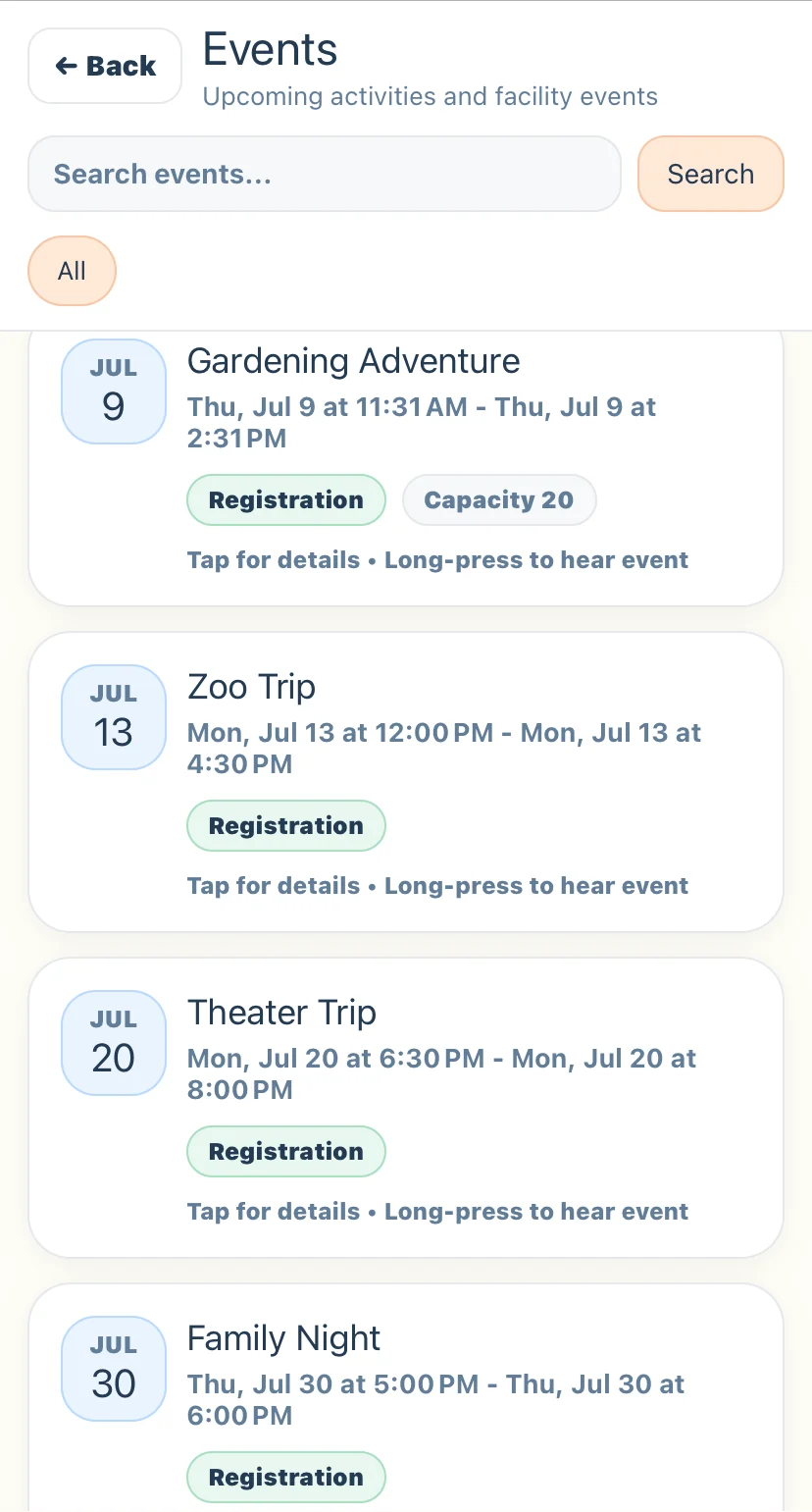
Resident event list in the ChimeBuddy app
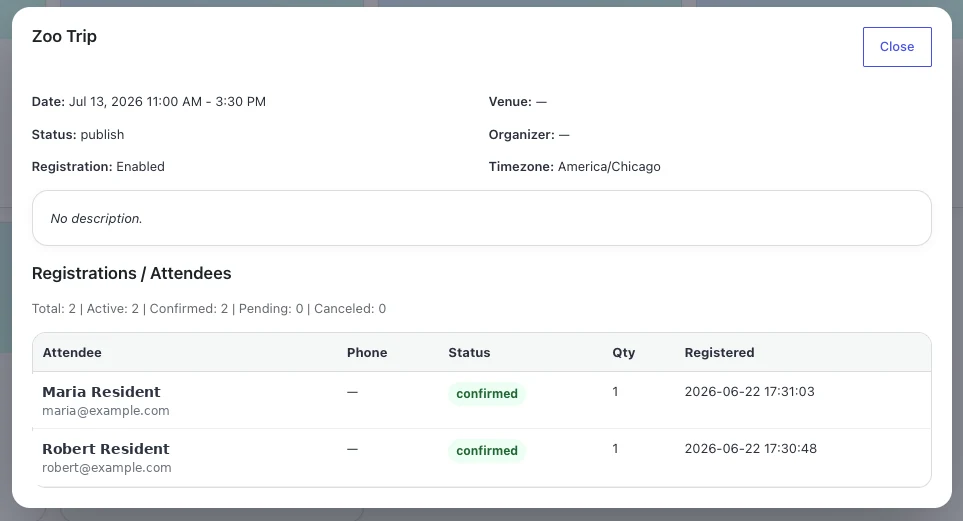
Staff event attendee list in ChimeBuddy
Resident-facing schedule + staff RSVP visibility The same activity workflow serves residents and the team planning the event.
✓ One schedule, multiple touchpoints
Plan onceUse repeating events instead of rebuilding the same activities.
Reach residentsPut activities in the app, on shared TVs, and in reminders.
Know who is comingUse RSVP and attendee lists to prepare with more confidence.
Keep families connectedGive authorized family members a clearer view of community life.
A day in the life

From the morning calendar check to the last reminder of the day

An activity director rarely has one job happening at a time. The calendar is changing while residents are asking questions, staff are preparing rooms, families are checking in, and tomorrow’s schedule is already approaching. The goal of software should be to connect that work—not add another place to update.

7:30 AM

Start with one organized activity schedule

Review today’s activities, confirm locations and times, and look ahead without rebuilding the schedule from scratch. Daily, weekly, and monthly repeating events help keep staples like exercise classes, Bingo, coffee groups, and recurring outings organized as a series.

  • Create recurring activity series
  • Keep date, time, location, details, and images together
  • Adjust the schedule when real life changes the plan
ChimeBuddy event calendar list
9:00 AM

Make today’s activities visible without repeating yourself

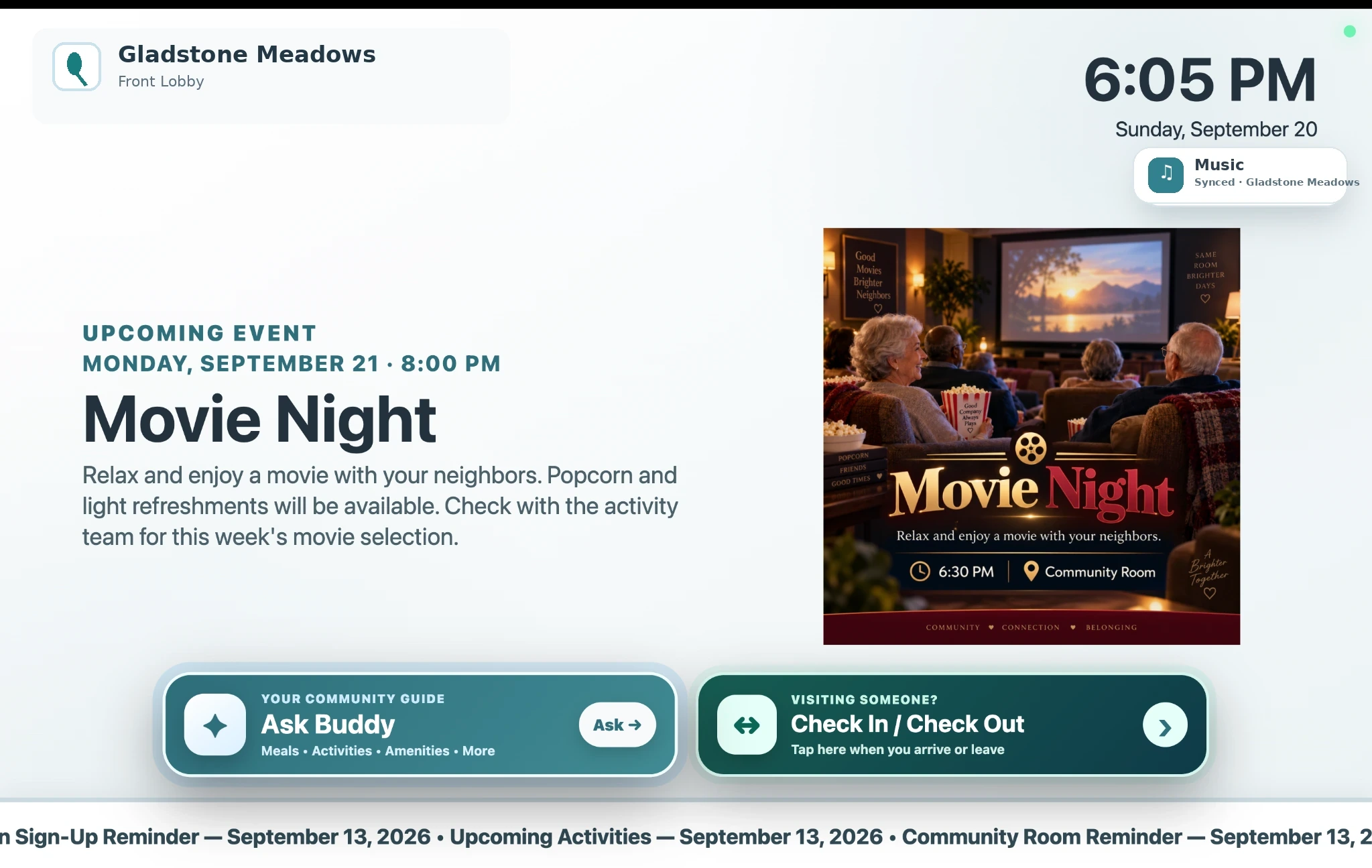
Residents should not have to rely on a paper calendar taped to one wall. ChimeBuddy can put activities where residents are already looking: in the resident app and on digital signage throughout the community.

  • Resident app event listings and details
  • Large-format activity slides on community TVs
  • Consistent information across multiple shared screens
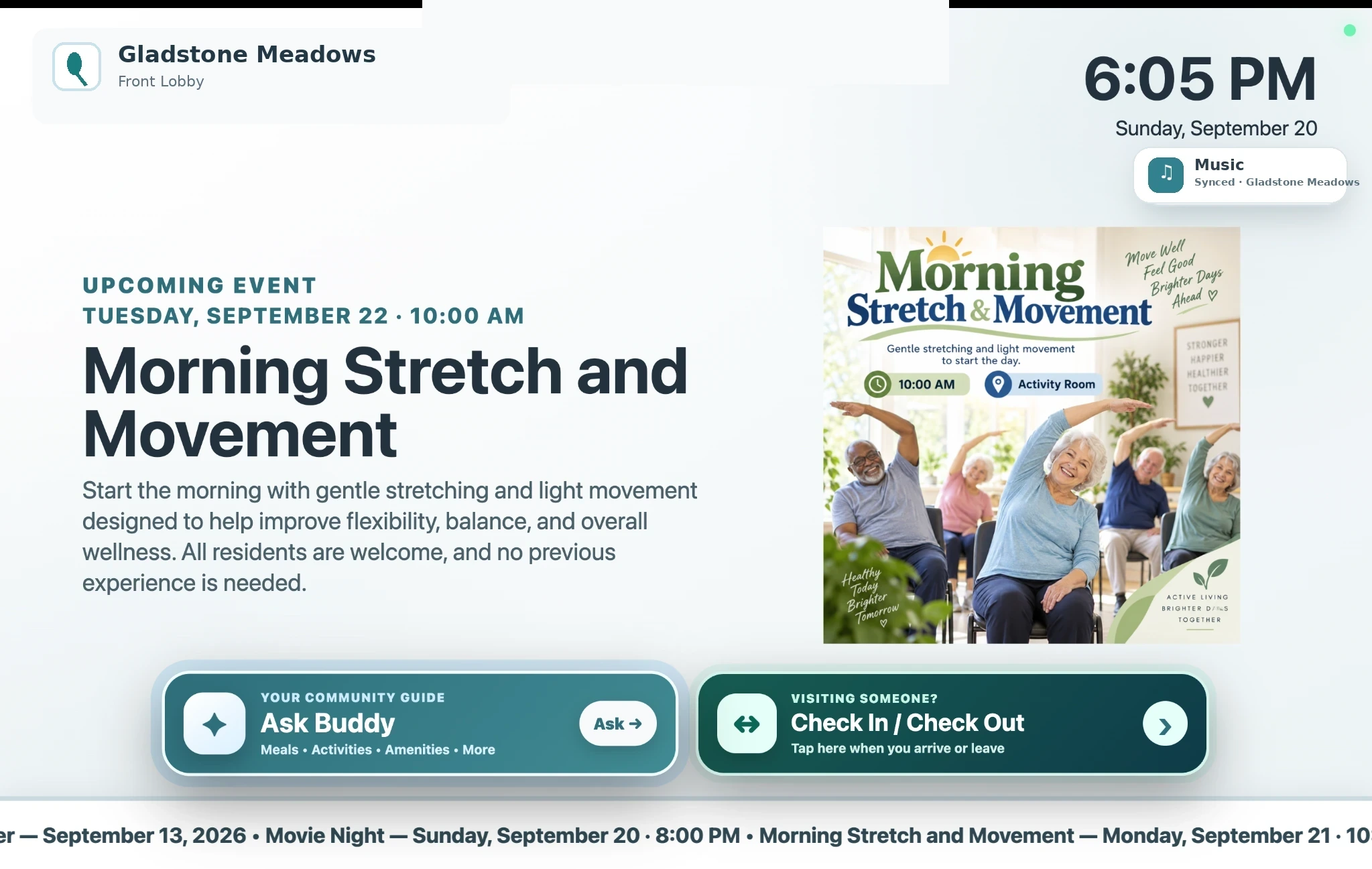
Senior living activity displayed on ChimeBuddy digital signage
10:30 AM

Check RSVPs before the room starts filling up

For activities where capacity, transportation, supplies, or setup matter, staff can review the attendee list ahead of time. That gives the team a better starting point for planning instead of relying on memory, handwritten lists, or last-minute head counts.

  • Resident RSVP visibility for staff
  • Cleaner planning for seating, materials, and transportation
  • A shared attendee list the team can reference
ChimeBuddy staff RSVP and attendee list
1:00 PM

Use reminders when an activity needs extra attention

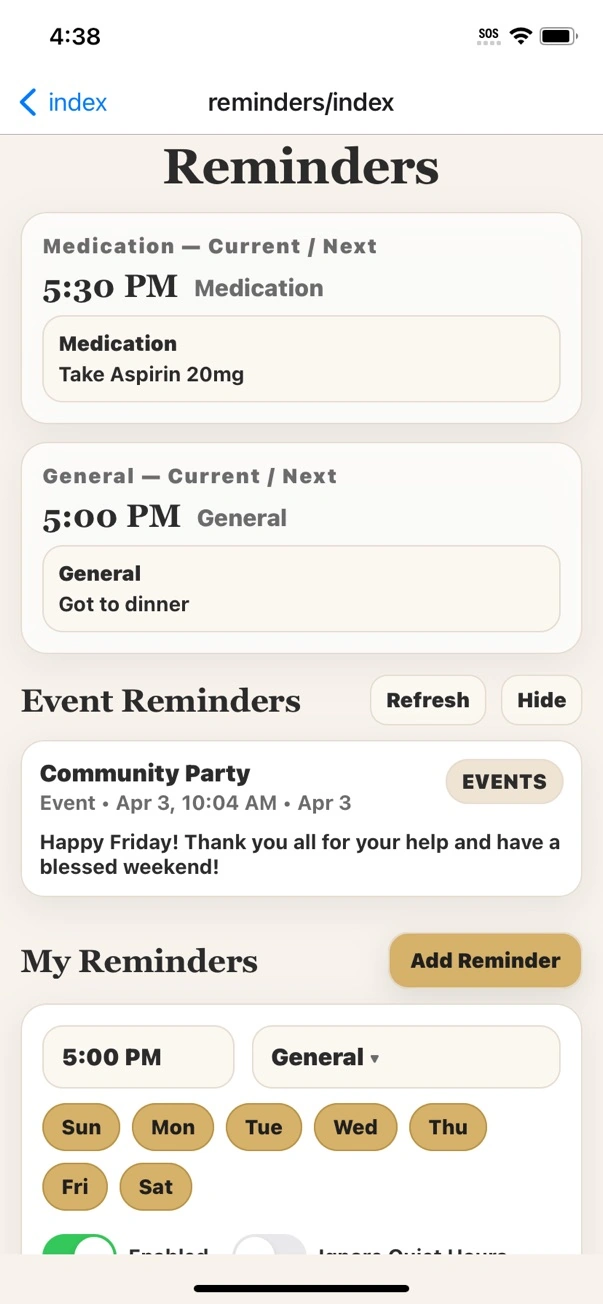
Some events deserve more than a calendar listing. Activity reminders can help residents remember what is coming up, and important community events can be pushed more broadly so residents can still receive the reminder even if they never RSVP’d.

  • Schedule resident event reminders
  • Preview reminders before sending
  • Reach beyond the RSVP list for important community-wide events
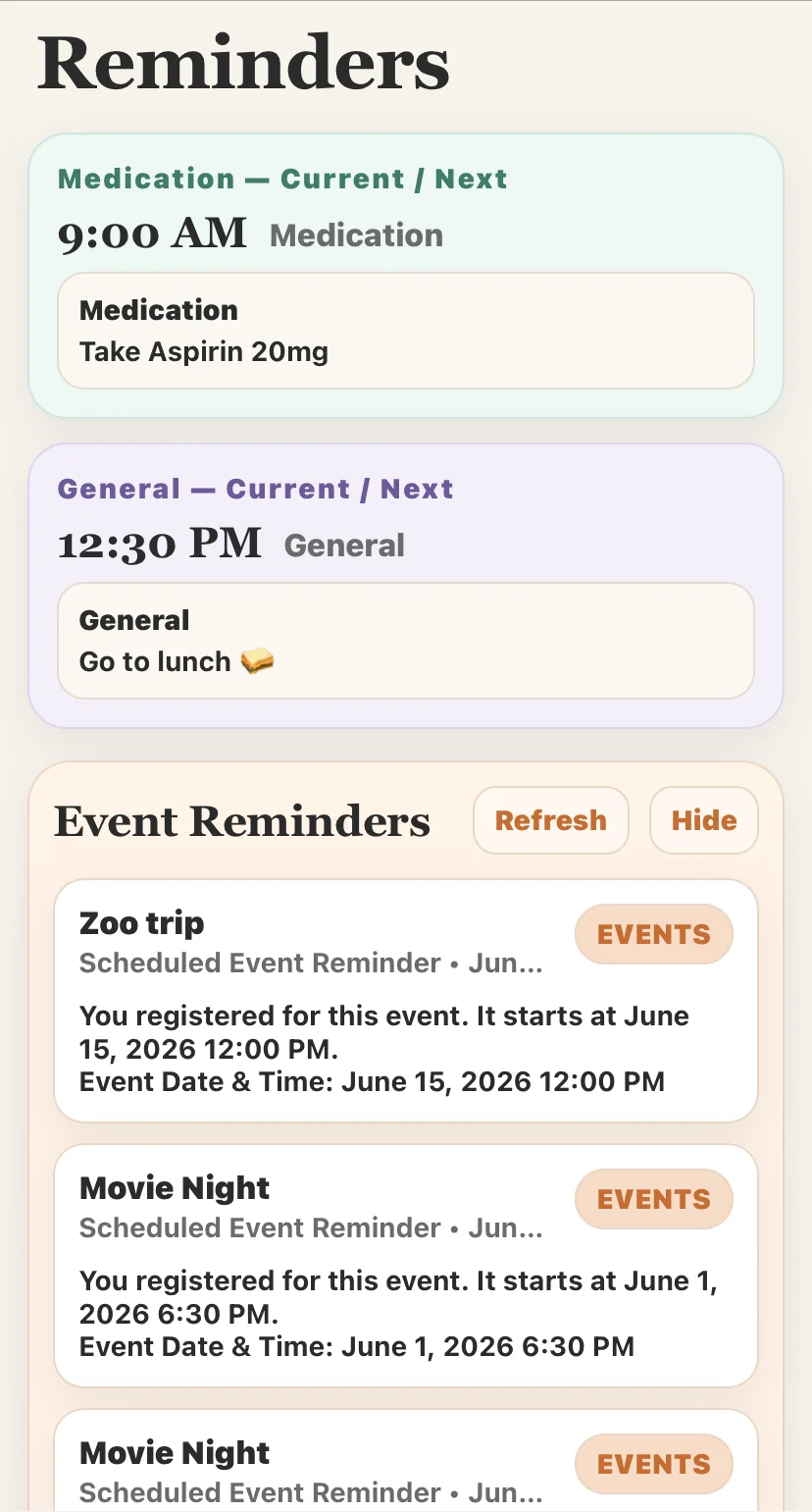
ChimeBuddy event reminder tools
4:00 PM

Keep tomorrow from becoming another round of re-entry

At the end of the day, the next schedule is already waiting. Because the activity calendar, resident-facing information, and signage are connected, the team can focus on the schedule itself instead of recreating the same information separately for every communication channel.

  • Review upcoming events and recurring series
  • Prepare reminders for high-priority activities
  • Keep resident and staff views aligned around the same schedule
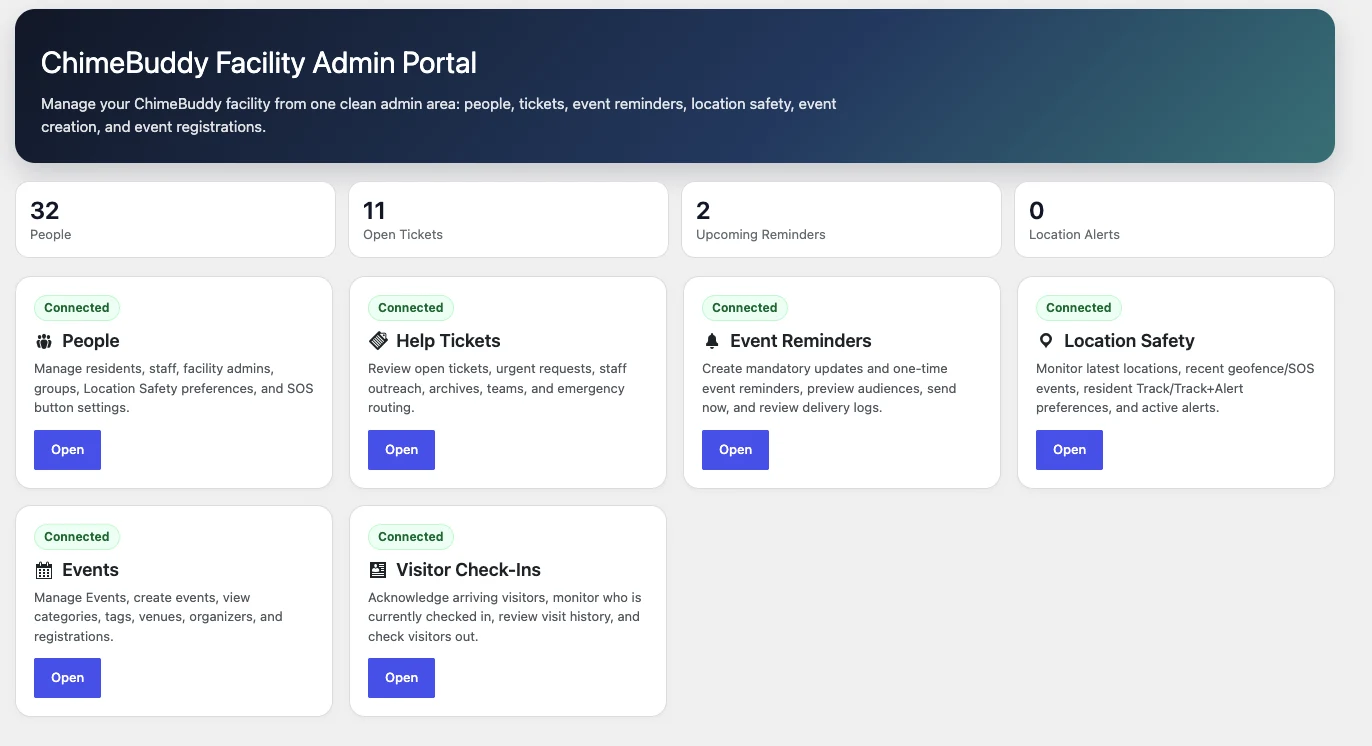
ChimeBuddy facility administration portal
Reminders + RSVPs

RSVP lists help you plan. Reminders help residents show up.

An RSVP has value for the team because it gives you a sense of expected participation. A reminder has value for the resident because even someone who intended to attend can lose track of the time.

ChimeBuddy supports both sides of that workflow: staff can see who registered, while residents can receive event reminders. For especially important activities or community-wide events, reminders can reach residents regardless of whether they RSVP’d first.

Why that distinction matters A resident should not have to RSVP days in advance just to learn that a special performance, outing departure, celebration, or community meeting is about to begin.
Event reminders in ChimeBuddy
Staff attendee list for a senior living activity
Staff can prepare from the RSVP list while reminders keep the activity visible to residents.
One activity, several ways to discover it

Keep residents informed without assuming everyone uses technology the same way

A strong activity program reaches residents in more than one place. Some residents will check the app. Others notice the lobby TV. Others may hear about the event from family or staff. ChimeBuddy lets the activity schedule extend across those touchpoints instead of living in a single calendar.

Activities in the ChimeBuddy resident app

Resident app

Residents can browse upcoming activities, open event details, and RSVP when registration is enabled.

Activity promotion on ChimeBuddy digital signage

Community TVs

Digital signage turns the schedule into large, visual activity promotion for lobbies, common areas, dining spaces, and other shared locations.

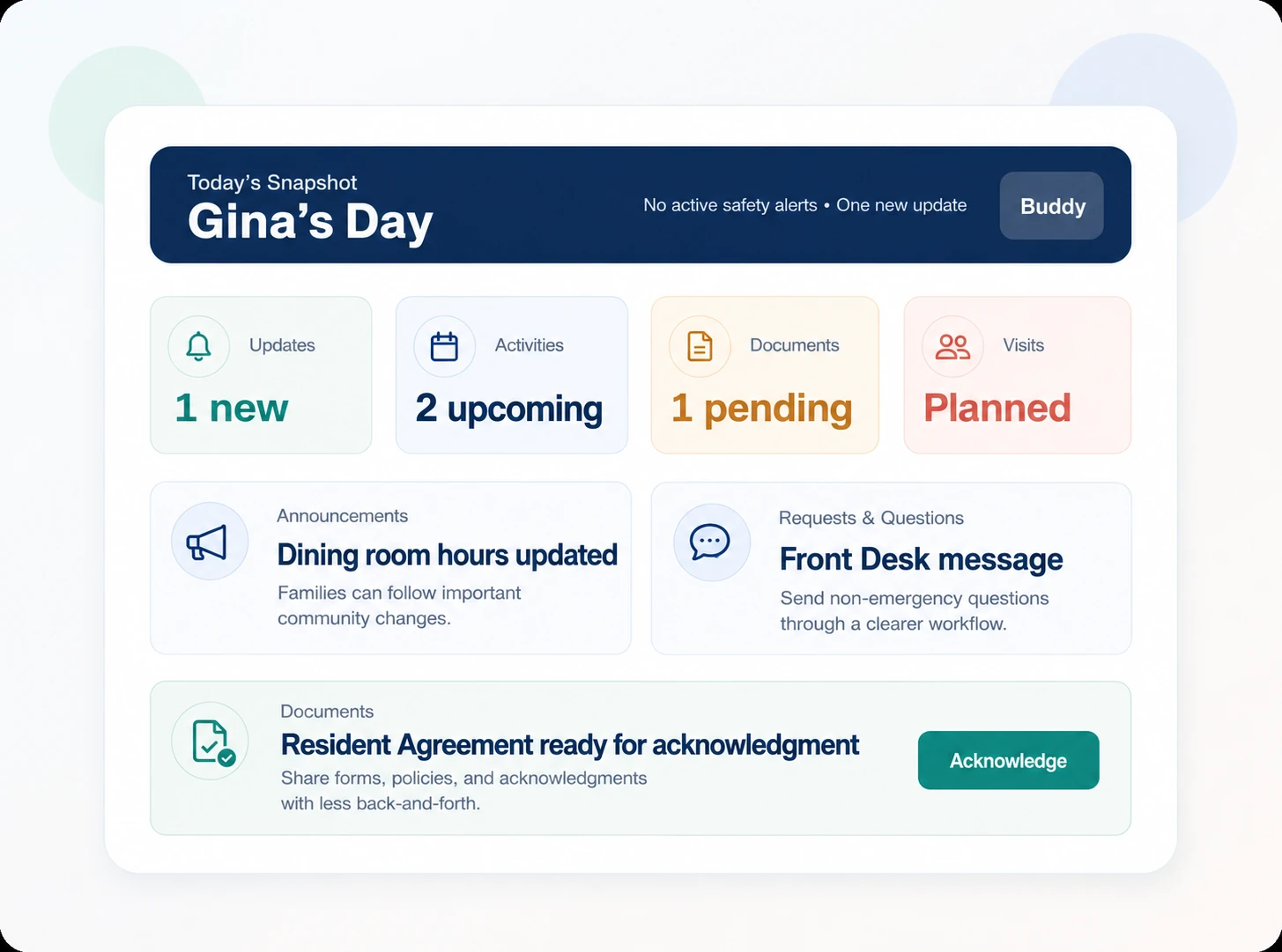
ChimeBuddy family portal

Family portal

Authorized family members can stay closer to community life and have more context about the activities and information available to their loved one.

Built for recurring community life

Repeating activities should not mean repeating data entry

Senior living calendars naturally repeat. The same fitness class may happen every weekday, Bingo every Tuesday, and a resident council meeting every month. Recurring event tools help the calendar reflect that reality.

D

Daily routines

Create activities that repeat daily without manually adding a new event for every date.

W

Weekly favorites

Keep recurring classes, clubs, games, and social programs organized as a connected series.

M

Monthly traditions

Schedule meetings, celebrations, themed events, and other predictable monthly activities ahead of time.

ChimeBuddy family portal showing community information
A better window into community life

Families can stay more connected to what is happening

Activity programming is part of the story families care about. They want to know that there are opportunities to socialize, move, learn, celebrate, and participate.

The ChimeBuddy family portal gives authorized family members another way to stay connected to community information. That can give families more context for conversations with their loved one and a clearer view of what the community is offering.

This is not about turning the activity director into a family communications desk. It is about letting the information you are already maintaining work harder for you.

Bring the workflow together

Spend less time re-posting the schedule and more time on the program itself

ChimeBuddy brings event planning, resident discovery, RSVPs, reminders, digital signage, and family visibility into the same community platform. Start with the pieces your team needs now and expand as the community grows into it.

Common questions

Activity director software FAQ

What can activity director software help with in senior living?

Activity director software can help organize community events, recurring activities, resident RSVPs, attendee lists, reminders, digital calendars, signage, and family visibility so staff spend less time repeating the same updates in different places.

Can ChimeBuddy handle repeating senior living activities?

Yes. Staff can create recurring event series for activities that repeat daily, weekly, or monthly, which reduces duplicate data entry while keeping the schedule organized.

Can staff see who RSVP’d to an activity?

Yes. Staff can review event attendee lists and registration details, which can help with seating, supplies, transportation, room setup, and other activity planning.

Can residents receive activity reminders even if they did not RSVP?

Yes. For important community events, ChimeBuddy can push reminders more broadly so residents can still be notified even when they have not RSVP’d to that specific event.

Can activities appear on both resident devices and community TVs?

Yes. ChimeBuddy can present activity information in the resident app and on digital signage displays, helping communities reach residents whether or not they regularly use a phone or tablet.

Can families stay informed about community activities?

Yes. ChimeBuddy’s family portal can give authorized family members a view into community information so they can stay more connected to what is happening at the community.